

-

Popup Phone Call
VoIP Popup Call Software (Popup Calls): Intelligent Call Management on Windows In today's competitive world, speed and accuracy in managing phone calls are key factors for organizational success. VoIP Popup Call software (Popup Calls) is a practical and intelligent tool that allows you to see caller information instantly on your Windows computer and respond professionally. This software, with special features such as call display on Windows, call history logging, and VoIP phonebook, provides a smooth and professional experience for managing phone calls. If you are looking to improve organizational communications and increase customer satisfaction, Popup Calls is the best choice for you. Key Features and Capabilities of VoIP Popup Call Software Caller Information Display: - Shows the caller's name and phone number as a popup. - Allows real-time viewing of incoming and outgoing calls. Call History: - View the number of previous calls each contact has made to the organization. - Displays information about the last responding agent and the subject of the previous call for faster interaction. - Records call ratings and comments in the VoIP database. VoIP Phonebook: - Quick search capability based on name, phone number, company name, and other details. - Click-to-Call feature to reduce dialing errors. Call Reporting and Management: - Displays comprehensive call reports based on date, extension, contact name, and phone number. - Ability to save reports and contact information in Excel files for better analysis. Real-time Editing and Data Entry: - Edit contact information without interrupting the call. - Add new contacts via Excel file or manually. Applications of Popup Calls Software Organizational Call Management: This software is a professional tool for managing incoming and outgoing calls, helping employees view complete customer information instantly and respond more quickly. Increasing Customer Satisfaction: Displaying the customer's name at the start of the call and tracking previous calls gives customers a greater sense of value, improving business relationships and increasing loyalty. Easy Follow-up on Past Calls: By recording call histories, agents can better manage follow-up processes and enhance customer experience. Reducing Wait Time: Showing previous call information and click-to-call capability reduces customer wait times and improves communication quality. Management Reports in Popup Call Software Popup Calls software enables managers to comprehensively and accurately analyze phone calls. Management features include: - Call reports based on phone number, date, extension, and contact name. - Exporting registered contacts in the phonebook to Excel. - Adding, editing, and deleting contacts individually or in groups. - Quick search and display of call history for each contact. Software Compatibility and Installation Process VoIP Popup Call software is fully compatible with open-source VoIP phone systems like Issabel and Asterisk. Installation and setup are very fast, and it runs on Windows 10 and 11. - No separate server required: This software runs on your organization's existing VoIP server. - Compatible with various Issabel and Asterisk versions: Supports the latest VoIP PBX versions. - Can connect to other VoIP products: Such as post-call SMS modules or bulk voice call software. Why Choose Popup Phone Call Software? - Increases response speed to customers: Instant display of contact information enables faster, more professional responses. - Reduces communication errors: Click-to-Call minimizes dialing mistakes. - Improves call management: Recording and displaying previous call information allows more effective communication management. - Enhances customer satisfaction: Personalized call information strengthens customers' sense of value. - Enables more professional communications: Popup Calls software provides an intelligent and smooth experience for managing phone calls. Conclusion: Professional Organizational Call Management VoIP Popup Phone Call software is a powerful tool for organizations, call centers, and companies seeking an intelligent solution for call management. With features like popup display of contact information, call history logging, quick search, and one-click calling, it offers a professional and satisfying experience for staff and customers. If you want to increase your communication team's productivity and improve the quality of organizational interactions, get Popup Calls now and feel the difference in managing your phone calls!
- Trusted Company
- Aria Net Spadana
- software
- Esfahan
- Make Call
-

Survey Module
Isabel Survey Module: A Powerful Tool for Collecting Customer Feedback In today's world, business success depends on customer satisfaction. The Isabel survey module, as one of the advanced tools in VoIP telephone systems, enables the collection of customer opinions after phone calls. This system, with features such as recording feedback, rating operators, and providing comprehensive reports, helps you improve your service quality and establish a more professional connection with customers. Importance of Phone Surveys in VoIP VoIP phone surveys provide valuable information about customer needs, expectations, and satisfaction levels. These data help organizations optimize their services and products based on real customer feedback. Additionally, phone surveys strengthen the brand and increase customer loyalty. Top Features and Capabilities of the Isabel Survey Module Display Average Operator Score: Evaluate operator performance based on extension number and name. Number of Answered Calls: Review each user's activity level. Graphical Charts: Analyze data over different time periods with precise charts. Call and Score Details: Information such as phone number, score, call time, and queue number. Excel Reports: Ability to download comprehensive reports for better data analysis. Listening to Recorded Feedback: Customer audio feedback files are available immediately after recording. Sending Feedback to Managers' Emails: Automatic sending of feedback to managers' emails for immediate review. Dynamic Settings: Ability to change survey settings and easily manage the system. Impact of Implementing the Isabel Survey Module in Organizations Implementing the VoIP survey system has significant effects on improving organizational performance. This system allows you to: Evaluate operator performance accurately: by displaying average scores and analyzing calls. Identify customer needs and expectations: through collected data. Make better managerial decisions: using comprehensive reports and graphical charts. Strengthen customer relations: by providing services directly optimized based on customer feedback. How Does Phone Survey Work? In VoIP systems, phone surveys are usually automatically activated after the call ends. Customers respond to specific questions via an Interactive Voice Response (IVR) menu, such as: Rating service quality. Evaluating operator responsiveness. Satisfaction with the call. These responses are stored numerically (e.g., scores from 1 to 5) or as audio recordings and saved in the system database. Managers can analyze this data to identify team strengths and weaknesses. Unique Features of the Isabel Survey Module The Isabel survey module offers capabilities beyond collecting customer feedback: Detailed data analysis: with graphical charts and comprehensive reports. Immediate listening to recorded feedback: for quick review. Sending feedback to email: customer opinions are automatically sent to managers' emails. Customization options: survey settings can be changed and personalized. Utilizing VoIP Technology for Surveys The VoIP survey module is popular among organizations due to ease of use, high efficiency, and reasonable cost. This system not only enables phone surveys but also provides tools like precise reporting and sending related SMS messages. Connecting this system to other modules such as the call SMS sending module or voice-to-text software in Isabel multiplies its value. Why Choose the Isabel Survey Module? Increase customer satisfaction: collect and use customer feedback to improve services. Evaluate operator performance: accurate score display and call analysis. Better decision-making: provide comprehensive reports and graphical charts for managers. Strengthen organizational communications: use customer feedback to enhance interactions. Ease of use: quick and easy installation and setup. Conclusion: Phone Surveys, a Way to Improve Service Quality The Isabel survey module is a powerful tool for collecting customer feedback and evaluating support team performance. With features like precise reporting, data analysis, and sending feedback via email, it helps organizations optimize their services and establish a more professional relationship with customers. If you are looking for a solution to measure customer satisfaction and improve service quality, the Isabel survey module is a suitable choice for you. Suggested Keywords: Isabel Survey Module VoIP Phone Survey VoIP Phone Survey System Operator Evaluation in Isabel VoIP VOIP Survey
- Trusted Company
- Aria Net Spadana
- software
- Esfahan
- Make Call
-

Call SMS Sending Module
Isabel SMS Sending Module: Intelligent Communication with Customers After Calls In today's competitive world, a successful business is one that can establish effective, fast, and valuable communications with its customers. The Isabel Call SMS Sending Module, as one of the powerful tools in VoIP telephone systems, offers an intelligent solution for automatically sending SMS to callers after the end of a conversation. This module, fully compatible with Isabel and Asterisk, automatically sends thank you messages, important notifications, and even advertisements to customers. Using the SMS sending module improves customer experience, strengthens their sense of value, and makes your brand appear more professional and credible. Why is sending SMS after calls in VoIP important? Today, businesses using VoIP telephone systems need solutions that enhance customer experience and make communications more effective. The Isabel Call SMS Sending Module is designed precisely for this need. This tool, by sending intelligent and customized SMS after calls, not only creates a sense of satisfaction and value in customers but also provides an opportunity for advertising and brand strengthening. Main features of the Call SMS Sending Module in VoIP - Intelligent SMS sending after calls: Automatic sending of thank you messages, advertisements, or important notifications to callers immediately after the conversation ends. - SMS text customization: Ability to set different messages for incoming and outgoing calls. Messages can include thanks for the call or information related to services. - Sending responder expert information: Including the name and extension of the answering expert in the SMS text for easier customer follow-up. - Support for incoming and outgoing calls: Sending different messages based on call type, enabling more professional customer communication management. - Easy user interface: A simple and understandable user panel that is usable for all users, even with limited technical knowledge. - Full compatibility with Isabel and Asterisk: Support for various versions of open-source VoIP systems (including versions 16 to 18). - Expandability: Ability to use the module in IVR, queues, sending registration links or medical appointment bookings, sending messages at the end of calls, and more. 5 Key Applications of the VoIP SMS Sending Module - Thanking customers: Sending thank you SMS along with brand name strengthens the customer's sense of value. - Notifications: Sending important information such as address, website link, or organization numbers via SMS. - Branding enhancement: Advertising the company name and services through SMS helps brand retention in customers' minds. - Providing supplementary information: Sending more details or useful links to callers for easier access to information. - Sending SMS for missed calls: Notifying customers about missed calls, an opportunity to attract their attention. Economic Applications of the VoIP SMS Sending Module The Isabel Call SMS Sending Module not only improves customer experience but is also very cost-effective. This system allows businesses to manage their communications at minimal cost and create new advertising opportunities. Story of the VoIP SMS Sending Module Production The idea for producing this module started from a personal experience; when a notification SMS and thank you message after a call from a company conveyed a sense of value and credibility. This experience showed how impactful automatic SMS sending can be. Therefore, by designing this module, the possibility of sending intelligent messages fully automatically was provided so that other businesses could also benefit from its advantages. Compatibility of the SMS Sending Module with Various SMS Panels This module is by default compatible with the 0098SMS panel but can also connect to other SMS panels. Therefore, it is possible to use any desired panel for sending SMS. Also, purchasing this module along with other products such as VoIP call-to-text software or survey modules includes discounts or free versions of the SMS sending module. Advantages of the Isabel SMS Sending Module - Affordable price: Low cost compared to the high efficiency of this system. - Quick installation: Installation and activation take less than an hour. - Lifetime license: Software is provided with a lifetime license. - Support for various panels: High flexibility to connect to your preferred SMS panel. Why should you use the VoIP Call SMS Sending Module? - Enhancing customer trust: Sending personalized SMS strengthens trust and sense of value. - Creating advertising opportunities: SMS acts as a powerful advertising tool. - Professional communication: Intelligent SMS reflects the professionalism of your organization in interactions. - Expandability: Usable in various scenarios such as sending special messages in call queues, IVR, etc. Conclusion: SMS after calls, a simple way to strengthen communications and advertising The Isabel Call SMS Sending Module is a modern solution to improve customer communications and increase the quality of telephone interactions. This system, with the ability to automatically send thank you, notification, or advertising messages, allows you to establish more professional communications and embed your brand in customers' minds. If you are looking for a cost-effective and efficient solution, this module is an excellent choice for small and large businesses. Suggested Keywords: Isabel SMS Sending Module Intelligent SMS after calls VoIP call SMS sending SMS sending after calls VoIP intelligent SMS system
- Trusted Company
- Aria Net Spadana
- software
- Esfahan
- Make Call
-

VOIP Auto Dialer Software
VOIP Auto Dialer Software: An Intelligent Tool for Advertising and Organizational Communications VOIP Auto Dialer Software (VOIP Auto Dialer Module) is an advanced Windows-based tool that enables fully automated management of advertising and notification calls. Also known as the VOIP Group Call Module, this software uses VOIP technology to facilitate batch calling in the simplest and smartest way possible. This tool, with features like mass voice calls, scheduling, advanced reporting, and compatibility with popular VOIP systems such as Asterisk and Issabel, is one of the best options for managing advertising campaigns and organizational notifications. Below, we review the features and benefits of this software. Special Features of VOIP Auto Dialer Software - Mass Voice Calls: Ability to send promotional messages to a large number in a short time. - Windows Compatibility: Fully compatible with various Windows versions including Windows 10 and 11. - Easy to Use: Designed for easy use by users of any knowledge level. - Excel Integration: Capability to import contact lists from Excel files. - Call Scheduling: Set start and end times for calls as desired. - Group Call Support: Ability to connect to call queues or specific extensions. - Audience Interaction: Receive inputs from the audience (e.g., entering a number) during calls. - Real-time Call Monitoring: Check call statuses and responses in real time. - Advanced Reporting: Ability to review campaign details based on date, phone number, and other parameters. - Audio File Selection: Set voice messages for call start and thank-you messages after completion. - Reduced Processing Load: Transfers call processing load to Windows, reducing pressure on the VOIP server. - Full Compatibility with Asterisk and Issabel: Ability to connect to popular VOIP systems like Asterisk 18 and Issabel 5. Key Applications of VOIP Auto Dialer Software This software can be used across various industries and for diverse purposes. Common applications include: - Advertising Calls: Sending voice messages to introduce new products and services. - Due Date Reminders: Notifications about installment payments, checks, and insurance policies. - Follow-up with Interested Customers: Automatic calls to customers who have provided feedback or are interested in your services. - Surveys: Conducting general or product-related surveys using the survey module. - Occasion Messages: Sending congratulatory messages for birthdays, holidays, and other special occasions. - Thematic Notifications: Communicating with customers or colleagues in different fields. Installation Prerequisites for VOIP Auto Dialer Software To use this software, you need the following: - Operating System: Windows 10 and 11 (limited support for Windows 7 and 8). - Office Software: Excel 2016 or higher to import contact lists. - VOIP Server: Compatibility with VOIP systems like Asterisk and Issabel for call management. Added Value of VOIP Auto Dialer Software Besides its main features, this software offers advanced capabilities that add value for businesses. One such feature is the SMS sending module after calls, allowing you to send personalized text messages to customers post-call. This feature creates a more professional experience and increases customer trust in your brand. Benefits of Using VOIP Auto Dialer Software - Cost Reduction: Using VOIP calls significantly reduces advertising and communication costs. - Increased Productivity: Frees up staff time for more important tasks. - More Professional Communication: Personalized messages increase customer trust. - Upgradeability: Easily customizable and upgradeable based on your specific needs. Installation and Activation Process Installing and activating the VOIP Auto Dialer Software is very simple and quick. After purchase, installation usually takes less than an hour. All necessary settings and features to start working are provided by default. Additionally, you can use free tutorials available on the Aparat channel for further learning. Security and Legal Notes on Using Auto Calls Using VOIP Auto Dialer Software must comply with privacy laws and marketing communication regulations. Important points include: - Respecting audience consent and providing the option to opt out of calls. - Protecting personal data of the audience and using appropriate security protocols. - Avoiding unsolicited calls that may lead to legal issues. Conclusion VOIP Auto Dialer Software is a powerful and efficient tool for managing advertising calls, notifications, and organizational communications. With advanced features like mass calls, reporting, scheduling, and compatibility with VOIP systems, it helps businesses manage their communications more professionally and effectively. If you seek to reduce costs, increase productivity, and improve customer experience, this software is the best choice for you.
- Trusted Company
- Aria Net Spadana
- software
- Esfahan
- Make Call
-

AR augmented reality
Augmented reality actually refers to the methods in which more information and features are added to the image of the world around us in the form of images or text, which increases our knowledge and understanding and the speed of our actions in that environment. . Man perceives the world around him by his senses, the simultaneous combination of the real world and virtual images forms the concept of augmented reality.\r\n\r\nOne of the most important advantages of augmented reality is that you can display all your wishes to promote and introduce your product or brand to customers in the best way. Using your phone or tablet, your customers will watch simple images of your product or brand logo in the form of 3D images, text or even video. AR technology creates very attractive capacities for customers who need to display various content information such as image gallery, video, 3D file based on a specific target.\r\n \r\n\r\nAs new companies and companies are established, it becomes important to use new and creative methods for advertising and marketing. Older companies need creative ways to advertise in order to keep up with new competitors. Augmented reality is one of the innovative methods of advertising and marketing that is attracting people\'s attention very quickly. Today more than ever, people are turning to engaging content.
- Trusted Company
- Avin Rasam Sivan
- software
- Esfahan
- Make Call
-

VR virtual reality
Virtual Reality Tour is a multimedia information collection with special visual effects and a complete package of different types of information with the possibility of presenting it to the audience. Viewers can move in a simulated way by rotating, enlarging images or moving in different parts of the virtual tour and see all the details and angles in the desired location.\r\n\r\n The most important indicator of the output quality of VR projects is believability. By entering your virtual reality tour, the user should experience the illusion of the virtual world and feel himself in that place and time. The structure of the virtual tour is a combination of 360-degree photography, 360-degree filming, 3D modeling and programming, and it is possible to prepare its outputs for all operating systems such as Windows, mobile and Mac, but the most common output is the web and mobile version. is presented in html5 format.\r\n\r\n The purpose of creating virtual tours is to eliminate time and place restrictions. For example, it is possible to visit an exhibition that was held in the country or at another time and it was not possible to attend it, or before attending a recreational or touristic place, get to know the facilities available in it for optimal use.\r\n\r\nWe have designed attractive scenarios for your business in Sivan.
- Trusted Company
- Avin Rasam Sivan
- software
- Esfahan
- Make Call
-
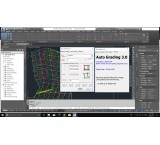
Land design and control software
Eutography, The first and only land leveling software in the world \r\nThat works with Coil TriD. We started autochiding in 1993. Ministry of Agriculture Jihad of Autographic Software Appreciation) It has a lot of achievements.\r\nWith this software no longer worried about the time and high price of its land.\r\nLevel the design quickly and accuracy, and without worrying about the ability to have an option and design all the job.\r\nWindows 10 -X64 and Civil3D 2018-2019-2020-2021\r\n1- The need for ironing is its new algorithm. Based on the new algorithm, the design pages are prepared from the topography, so the planning plan of agricultural land is prepared at greater precision and precision.\r\n2. Due to the new method of design it is the specificity of the natural land independent of the spot network.\r\n3. AutoGrading software in the AutoCAD Civil3D environment.\r\n4. AutoGrading software is compiled in Visual Cdot (C), and runs on various versions of AutoCAD Civil3D.\r\n5. No need to mapping a orthogonal network. You can harvest the points using the Total Station Camera.\r\n6. At the same time with the design, the output map is made with a few clicks.\r\n7. Component with newer versions AutoCad Civil3D and Windows 7, 8 and 10\r\n8. It is easy to select Ditch and Farrow on the piece and map.\r\n9. Other benefits of designing land levels with ironing, the ability to choose the first piece for water is to enter the water.\r\n10. Design information and meters provides all parts in an Excel file.\r\n11. Running on 32 and 64-bit windows
- Trusted Company
- Arya\'s best design
- software
- Esfahan
- Make Call
-
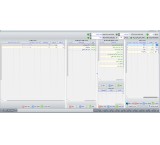
Iranian Teraz exchange software
Exchange accounting software is a part of Iranian Taraz accounting system that offers you the possibility of managing multi-currency documents and currency transactions. Although the results of the financial-economic activities of the institutions are kept in rial account, but it is necessary to access the information of foreign exchange transactions, maintain and maintain the records of the parity rates of different currencies, and you can keep the base rate and the exchange rates of your documents and bills in this section.\r\n\r\nFeatures and features of this part of the software:\r\n\r\n- Creation of multiple currencies and its currency pairs\r\n\r\n- Introduction of multiple currency funds and multiple currencies in the invoice\r\n\r\n- Creation of individuals and their account balances in Riyal and foreign currency in the opening document\r\n\r\n- Buying and selling currency through rate according to the latest average exchange rate\r\n\r\n- Receiving and paying foreign currency and Rials \r\n\r\n- Clearing (intermediary account between customers and other people)\r\n\r\n-Daily currency dashboard (specifying currency buying and selling rates, average exchange rate, average currency buying rate, inventory of different currencies and profit and loss from different currencies)\r\n\r\n- Viewing the account circulation of individuals based on different currencies\r\n\r\n- Ability to report based on purchases and sales\r\n\r\n- The ability to perform operations based on buying and selling\r\n\r\n- The ability to receive or discount the fee in a smart way\r\n\r\n- The ability to record income and expenses\r\n\r\n- The ability to register accounting documents other than currency in the base currency\r\n\r\n-Registration of opening currency document
-
Taraz Iranian accounting software
Teraz Iranian accounting software is suitable for all trades (shop, restaurant, service, corporate, contracting, real estate, exchange, payroll, royalty, production)\r\nWith the best support, support by phone, in person and online\r\nIt has unique features, free updates, free one-month demo, invoice design for you for free, educational videos. \r\nVery easy to use, being updated daily, install on all windows\r\nWith us, you can try the easiest and most convenient accounting software \r\nYou can download the program from the website and use all its features for free for 30 days \r\nJoin us
-

The accounting software of the working royalties of Iranian Teraz Livestock Caravanserai
In addition to accounting facilities \r\nThe possibility of displaying the sold product of each buyer\'s product, registering the royalties as a percentage with the amount for both the buyer and the seller at the same time in the invoice registration.\r\nDisplaying the number of remaining products of each person\'s product online, product sales report of each buyer\'s product, daily balance of each user to check purchases and sales, income and expenses and cash, bank and receipt and payment documents, simultaneous registration of royalty income in accounting documents, simultaneous registration of receipt and payment of cash and checks in the invoice, viewing the daily report of each person and...
-

نرم افزار حسابداری قصابی ایرانیان تراز
همیشه در اصنافی مانند گوشت فروشی و قصابی ها کنترل موجودی کالا یکی از سخت ترین اموری بوده که باید توسط کارفرما انجام می شده. نرم افزار حسابداری ایرانیان تراز برای اولین بار با طراحی امکانات تجزیه کالا توانسته تمام این مشکلات را حل نماید به صورتیکه شما می توانید در هر زمان که خواستید موجودی اجناس فروخته شده و اجناس باقی مانده را مشاهده نمایید. همچنین شما می توانیدفروش خود رابه تفکیک و بااستفاده از بارکد خوان باسرعت و دقت زیاد ثبت نمایید تلاش گروه نرم افزار حسابداری ایرانیان تراز رضایت شما می باشد.
-

Professional LinkedIn Profile Creation
Pishtaz Web VP Group, with years of specialized experience in the LinkedIn domain, has designed a variety of service packages based on effective strategies and the real needs of users, which can be customized according to clients' goals and budgets. These packages are offered in three plans: Basic, Standard, and Custom, providing full LinkedIn page management, including specialized content creation, targeted networking, and audience engagement with the highest quality. Additionally, Pishtaz Web VP supports users with a comprehensive LinkedIn training package from zero to advanced, helping them build a strong profile, strengthen their network, and develop their business. Alongside all these services, LinkedIn account recovery is also provided. This comprehensive and professional approach, combined with fair pricing tailored to various needs, is the main reason Pishtaz Web VP's LinkedIn service packages are the best choice for growth and success on this professional network.
-
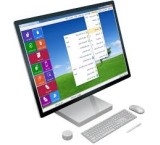
Parsian Accounting Software
Sales, support, and services of Parsian Accounting Software Official representative of Parsian Accounting Software Sales of Parsian Accounting Software in simple, special, advanced, and comprehensive editions Including free installation and training, lifetime free support (both from us and the central office), and unconditional one-year warranty Sales of Parsian Accounting Software add-ons including: Parsian Food (specialized restaurant and fast food software), Parsian Store (specialized store software), Parsian Accounting Software SMS panel Sales of Parsian Accounting Software Taxpayers System add-on with free installation and provision of public and private keys and free connection to the workspace On-site staff dispatch All Parsian services including: initial data entry, label, barcode, and invoice design, networking of Parsian Accounting Software systems, check design and printing Sales of various POS and office automation devices including: receipt printer, label printer, barcode scanner, customer call device, attendance and access control device Sales of various systems, laptops, mini PCs, monitors, all-in-ones, etc. along with accessories Hardware upgrades for systems and laptops and installation of all Windows versions and specialized software For more information, consultation, and purchase, please contact the phone number listed in the ad. Address: Isfahan, Bahonar Street, Negin Bahonar Administrative Complex, First Floor, Unit 3
-

Parsian accounting software
Sale of Parsian accounting software \r\nSimple, special, advanced, comprehensive version \r\nInstallation and training at your place \r\nSettlement on the spot\r\nCall for more information.\r\n09134583001\r\nAddress: Isfahan - Bahnar St. - Nagin Bahnar Complex - 1st Floor, Unit 3 - Parsian Sepahan Software Company
-

7 -inch Pi 7 -inch Pi Model 7 (Expired)
Imagine you're making a video game. With this touch screen, you can easily design the characters, build the game environment and even have a small game console for yourself. This high quality display, multi -point touch and adaptation to different operating systems give you great features. The 7 -inch Raspberry Pi 10 -finger touch monitor is an ideal solution for you. Highlights: Quality Display: The 800x480 pixel resolution offers a clear, clear image. Multiplay Touch: With the ability to detect 10 at the same time, it provides a smooth and natural user experience. Easy Connection: It simply connects to the foot of the foot and does not require sophisticated settings. Contemporary Software: It is compatible with the latest version of the Rosbian operating system and supports the software keyboard. Different applications: It can be used for the construction of a variety of electronic projects, from personal tablets to industrial control systems. Why choose this monitor? Portability: With small size and light weight, it is easily portable. Simplicity of Use: Easy and fast installation and commissioning. Customization Ability: Depending on your needs, you can run different software and applications. Affordable Price: It has a competitive price compared to its features. Infinite Projects: From building personal games to smart home control, make every idea a reality. Extraordinary image quality: With high resolution and vibrant colors, have a great visual experience. Touch Pen Support: Don't forget the touch pen for precise designs and digital paintings. Compatibility with different operating systems: In addition to the rose, it is also compatible with other popular operating systems. Easy installation: It is easily installed without the need for technical expertise. Applications: Personal Tablet: To study, entertain and do everyday tasks Entertainment Information System: For car, smart home and ... Industrial Control Machine: To monitor and control industrial processes Educational Projects: To teach programming and electronics And many more ... Technical Specifications: Screen size: 7 inches Resolution: 800x480 Touch Type: Capacitive (Capacitive) Number of touch points: 10 Connect: DSI The 7 -inch Raspberry Pi touch monitor allows users to create integrated projects and all in one, such as tablets, entertainment information systems and embedded projects. The 800 x 480 display is connected through an adapter board that is responsible for converting signal and power supply. Only two connections to the Raspberry PI are required: power from the Gpio Raspberry Pi port and a flat cable that connects to the DSI port available in all raspberry PIs. Touch screen drivers with support of 10 touch finger and a keyboard on the screen, for full performance without the need for a keyboard or mouse, in the latest version of the system.
-

Voice Recognition Software in Issabel (Expired)
Voice Recognition Software in Issabel: An advanced solution for converting voice to Persian text With the growing use of VoIP telephone systems in organizations, the need for analyzing conversations and automatically recording call information is increasingly felt. The voice recognition software in Issabel uses artificial intelligence (AI) to accurately convert call audio into Persian text and automatically stores it in Didar CRM and the database. This tool combines Issabel for call management, GPT-4O for audio processing and transcription, and Didar CRM for data storage and analysis, providing a comprehensive solution for businesses looking to enhance the performance of their sales and support teams. This software not only records your conversations but also analyzes them and provides valuable information for business decision-making. Features of Voice Recognition Software in Issabel - Voice to Persian text conversion: Using artificial intelligence, call audio files are converted into accurate and editable text. - Automatic storage in Didar CRM: Conversation texts are automatically saved in Deal Notes. - AI conversation analysis: Identification of key call points, customer requests, satisfaction levels, and sensitive topics. - Compatibility with Issabel and VoIP: Stable operation on Issabel, Asterisk, and other open-source platforms. - Search and reporting capabilities: Search by phone number, date, extension, or conversation content and save results in Excel files. - Data security: Files are processed within the internal network without internet access to protect sensitive call information. GPT-4O: The AI Core in Voice Recognition GPT-4O software, as one of the most advanced AI models, is at the heart of this system. Using deep learning models, it converts call audio into accurate text even in noisy environments. Key features of GPT-4O: - Full support for Persian language. - Fast and accurate processing even in busy and long calls. - Operation within internal networks to maintain organizational data security. After each call ends in Issabel, the audio file is sent to GPT-4O AI. The system processes the file and prepares the final text for storage in Didar CRM. Didar CRM: Automated Management and Analysis of Conversations Didar CRM is one of the most advanced customer relationship management software designed specifically for businesses where telephone communications are a vital part of their sales and support processes. Didar capabilities at a glance: - Automatic saving of call texts. - Quick search among recorded conversations. - Call scoring for team performance evaluation. - Viewing call history and automatic customer follow-up. By integrating this software with Issabel, sales and support experts can read call texts instead of listening to audio files. This feature saves time and increases team productivity. Operation of Voice-to-Text Software in Issabel Workflow: 1. A phone call is made through the Issabel system and the audio file is saved in a specified path. 2. The audio file is sent to the AI server and processed by GPT-4O. 3. The extracted text along with contact information (phone number, extension, date, and call ID) is stored in Didar CRM. 4. Managers and experts can access conversation texts by searching the data and perform necessary analyses. Additionally, conversation texts and analyses can be saved as Word or Excel files for periodic training. AI Conversation Analysis A prominent feature of this software is AI-based conversation analysis. After converting voice to text, the conversation content is sent to the AI engine for analysis. The analysis output includes: - Call summary. - Customer requests. - Customer satisfaction level. - Sensitive topics and improvement suggestions. This feature helps managers and sales teams better understand customer needs, improve service quality, and manage future calls more effectively. Why Use Voice Recognition Software in Issabel? - High accuracy in Persian speech recognition, even in noisy environments. - Automatic call information storage to reduce human errors in data entry. - AI conversation analysis to identify key call points. - Increased productivity of sales and support teams through time savings and improved response quality. - Data security by processing within internal networks without internet. - Full compatibility with open-source systems like Issabel and Asterisk. Additional Features and Integration with Other Modules This software can become a comprehensive and powerful system for your organization alongside other Issabel modules, such as: - SMS sending module in VoIP. - Call pop-up in Windows. - Automated calling software in VoIP. Conclusion: Turn Voice into Knowledge Voice Recognition Software in Issabel is a powerful tool for businesses wanting to use AI in VoIP to manage calls and analyze conversations. By converting voice to Persian text and analyzing conversation content, it enables improved performance of sales and support teams. With this tool, your customers' voices are not just heard; they are transformed into valuable and usable data. If you are looking for a modern solution to enhance service quality and increase organizational productivity, this software is an ideal choice. Suggested Keywords: Voice Recognition Software in Issabel Voice to Text in VoIP Artificial Intelligence in VoIP AI Conversation Analysis Didar CRM and Issabel
- Trusted Company
- Aria Net Spadana
- software
- Esfahan
- Make Call
-

System access control (door opener) and the presence and absence of (Expired)
سیستم حضور و غیاب و دستگاه کنترل تردد قابل نصب بر روی انواع درب ها و گیت های مختلف کنترل سطح دسترسی افراد به بخشهای مختلف هر سازمان و تهیه گزارشات از حضور و تردد افراد در محل مشخص از الزامات و نیازهای هر سازمان ، مجموعه اداری و یا آموزشی می باشد شرکت مهندسی الکتروگستر آسیا در جهت برآوردن این نیاز اقدام به واردات سیستم کنترل تردد و حضور و غیاب از کمپانی های معتبر تولید کننده دارای استاندارد CE در این زمینه نموده است . هدف ما تامین محصول با کیفیت و دارای امکانات بالا جهت برآوردن نیاز مشتریان می باشد مشخصات: - امکان تردد از سه طریق : اثر انگشت ، وارد کردن کد و کارت دستگاه از هر سه روش پشتیبانی می نماید بنابراین برای هر کاربر امکان ثبت هر سه مورد وجود دارد - قابلیت تخلیه اطلاعات دستگاه از طریق فلش ، پورت LAN یا ارتباط RS485 در ساختمان های اداری معمولا به دلیل وجود بستر شبکه در اکثر نقاط ساختمان بهترین روش برای برقراری ارتباط با دستگاه ارتباط LAN میباشد - قابلیت ثبت و پردازش اثر انگشت تا 1000 کاربر در صورت نیاز در مواردی که تعداد کاربران بیشتر از تعداد ذکر شده باشد امکان ارتقا حافظه دستگاه تا 3000 کاربر وجود دارد - ذخیره اطلاعات تراکنش های ورود و خروج تا 30000 رکورد - صفحه نمایش رنگی جهت نمایش منوها و اطلاعات کاربر بر روی دستگاه - قابلیت تعریف و بروزرسانی اطلاعات کاربران و ارسال اثر انگشت های ثبت شده از طریق شبکه بر روی هر دستگاه یکی از نیازهای مجموعه های اداری بزرگ ثبت اطلاعات کاربران در یک دیتا بیس و ارسال آنها بنا به نیاز بر روی دستگاههای متصل شده به درب های مختلف میباشد. یکی از قابلیت های مفید این دستگاه امکان آپلود نمودن اطلاعات ثبت شده کاربران بر روی چندین دستگاه از طریق شبکه میباشد که با این امکان دیگر نیازی به ثبت مجدد اثر انگشت و یا سایر اطلاعات کاربران برای درب های مختلف نیست. - قابلیت گزارش گیری از تردد افراد مختلف و دریافت اطلاعات هر دستگاه از طریق شبکه - قابلیت فعال یا غیر فعال نمودن سیستم و باز نمودن درب از طرف حراست (سرور مرکزی) - قابلیت تعریف برنامه های زمانی و گروه های مختلف کاربران برای کنترل سطح دسترسی افراد و تایم زمانی دسترسی - نرم افزار کامپیوتری قدرتمند با کاربری آسان یکسال گارانتی تعویض و 5 سال خدمات پس از فروش مشخصات آگهی نام جواد خمسه موقعیت اصفهان تلفن 09138582132-03132723865 آدرس اصفهان-خ گلزار شمالی-ساختمان 14-واحد B
- Trusted Company
- Sepehr Electrogostar Asia CO.
- software
- Esfahan
- Make Call
-
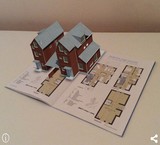
Cataloge magical (Expired)
کاتالوگ جادویی چیست؟ کاتالوگ جادویی، اپلیکیشنی حاوی اطلاعات اضافه ای از جنس صدا، ویدئو، انیمیشن و یا اشیاء سه بعدی است که می توانند به بیننده کمک کنند تا اطلاعات بیشتری را با نگاه کردن به آن کاتالوگ از طریق گوشی یا تبلت به دست آورد. این اطلاعات اضافه دقیقاً روی کاتالوگ و بر روی بخشهایی که شما می خواهید، قابل رویت خواهند بود و می توانند به صورت تعاملی نیز طراحی شوند، بدین معنا که کاربر با لمس اشیاء نمایش داده شده بتواند روی عملکرد آنها اثر گذاشته و یا آنها را بچرخاند. با طراحی اپلیکیشن اندروید و ios کاتالوگ خود به صورت جادویی مشتری های خود را سورپرایز نمایید. با شماره 09131103856 تماس بگیرید یا پیامی تلگرام کنید تا نمونه هایی از آن برای شما ارسال شود.
- Trusted Company
- Company smart house maple
- software
- Esfahan
- Make Call
-
Tutorials, Photoshop, AutoCAD, etc. username and 3DMAX (Expired)
مجتمع آموزشی سبحان با 15 سال سابقه آموزش در زمینه کامپیوتر، شبکه های مخابراتی، حسابداری و نرم افزارهای مکانیک با بهره گیری ازاساتید مجرب و با سابقه دوره های گرافیک: کلاسهای عمومی، نیمه خصوصی، خصوصی و حرفه ای آموزش فتوشاپ، اتوکد، کتیا و 3DMAX از مقدماتی تا پیشرفته را برای علاقه مندان برگزار می کند. همراه با اعطای مدرک سازمان فنی وحرفه ای آموزش تخصصی فتوشاپ (مقدماتی، پیشرفته، حرفه ای) شامل : - طراحی انواع کارت ویزیت ، کارت پستال ، طراحی پوستر ، بروشور ، سربرگ ، بیلبورد ، آرم ، کاتالوگ ، آگهی های تبلیغاتی ، لوگو تایپ ، پیکتوگرام – فرم بندی و صفحه بندی کامپیوتری – آموزش چاپ، کاغذ شناسی، فیلم و زینک، صحافی - آموزش چاپ در چاپخانه – تصویر سازی – پرسپکتیو و اصول اولیه مربوط به آن و ارتباط آن با Vector – جعبه سازی – شناخت نرم افزارهای برداری و پیکسلی – مبانی رنگ – جلوه های جادویی با فیلترها – طراحی با فونت ( تایپوگرافی ) – طراحی جلد CD و بارکد گذاری – بازسازی عکس های قدیمی – اشکال هندسی – طراحی جلد کتاب – طراحی پاکت نامه آموزش تخصصی AutoCAD در دو دوره مجزا (اتوکد سه بعدی و اتوکد دو بعدی) - آموزش حرفه ای ترفندها و نکات ترسیمی دو بعدی و سه بعدی - آموزش حرفه ای Rendering شامل نورپردازی و پرداخت متریال بر روی موضوعات ترسیمی - آموزش ساخت animation در محیط اتوکد - آموزش حرفه ای محیط Layout اتوکد برای نقشه های دو بعدی و سه بعدی - آموزش نماگیری و برش از قطعات سه بعدی - آموزش حرفه ای اندازه گذاری و تنظیمات Dimension style - آموزش نکات کلیدی در شیت بندی نقشه ها و چاپ آنها به صورت کاملاً scale (اشل) شده - آموزش نکات کلیدی برای چک پرینت گرفتن از نقشه های A0 , A1 بروی پرینترهای A4 به صورت کاملاً دقیق و scale شده - اموزش حرفه ای محیط Layout اتوکد برای نقشه های دو بعدی و سه بعدی - اموزش نماگیری و برش از قطعات سه بعدی - اموزش حرفه ای اندازه گذاری و تنظیمات Dimension style -آموزش حرفه ای و پیشرفته ی نرم افزار CATIA V5 R20 -آموزش محیط طراحی دو بعدی کتیا Sketcher -آموزش محیط طراحی سه بعدی کتیا Part Design -آموزش محیط طراحی مونتاژ کتیا Assembly Design -آموزش محیط نقشه کشی کتیا Drafting -آموزش محیط طراحی سطوح کتیا Wireframe and Surface Design -آموزش محیط ساخت کاتالوگ استاندارد مواد Material Library -آموزش محیط ورق کاری Generative Sheetmetal Design -آموزش محیط فرمول نویسی Knowledge Advisor -آموزش محیط ساخت کاتالوگ Catalog Editor موارد استفاده: -طراحی قطعات مختلف - نقشه کشی - مهندسی معکوس - طراحی قالب - ماشینکاری -رورش خلاقیت و نوآوری - به اشتراک گذاشتن دانش فنی در فرآیندها - ارتباط مستقیم بین طرح سه بعدی مجازی و محصول واقعی - کاهش حلقه های طراحی آموزش تخصصی نرم فازار کتیا: از نتایج استفاده نرم افزار کتیا میتوان به موارد زیر اشاره نمود: - کاهش زمان طراحی و ساخت - کاهش خطا در طراحی - افزایش کیفیت محصول - افزایش سود دهی - کاهش هزینه طراحی و ساخت - یکپارچه شدن سیستم طراحی - ایجاد بانک اطلاعاتی شامل مشخصه کلیه قطعات مورد نیاز - مستند شدن کلیه اطلاعات فنی قطعات مورد نیاز شرکت قابلیتهای نرم افزار کتیا CATIA : - طراحی قطعات - مونتاژ قطعات - طراحی سطوح - نقشه کشی - شبیه سازی - ورق کاری - طراحی سازه - قالب سازی - ماشین کاری - تهویه مطبوع - ایجاد روابط ریاضی - برنامه نویسی - لوله کشی - انتشار نقشههای ساخت - مدیریت پروژهها - مشارکت مهندسین - طراحی صنعتی در یک یا چند پروژه طراحی کارخانه - مدیریت کارخانجات - و... دوره آموزشی 3DMAX • آشنایی با منابع نوری • مدل سازی و نورپردازی • نورپردازی داخلی • نورپردازی و عملیات • طراحی اتاق کودک • مدل سازی داخلی یک اتاق نشیمن • تنظیمات Interface تنظیمات صفحه اصلی نرم افزار • مدلینگ (Modeling) سه بعدی سازی احجام معرفی و تمرین روشهای مختلف مدلسازی احجام مختلف • دوربین (Camera) طریقه کاشتن دوربین در صفحه و تنظیمات مربوط به آن تنظیمات لنز، ارتفاع دوربین و ... • نور (Light) طریقه کاشتن انواع نور در پروژه و تنظیمات آن شفافیت نور، شدت نور، رنگ نور ساطع شده، ... • متریال (Material) تعیین نوع مواد استفاده شده رنگ سطوح، شفافیت و کدری، صیقلی و زبری، بافت، ... • رندر (Render) گرفتن خروجی بصورت تصویر و تنظیمات مربوط به آن سایز تصویر خروجی، کیفیت و حجم تصویر خروجی، ... • نکات کلیدی و کاربردی رندرینگ برای گرفتن خروجی بهتر در حالت های مختلف رندر شب، رندر روز، رندر عصر، ... • معرفی اجمالی موتورهای رندر قابل نصب و کاربرد آنها • منتال ری (Mental-Ray) کار با موتور رندر تعبیه شده در روی نرم افزار جهت دستیابی به خروجی های با کیفیت تر • تنظیمات حرفه ای رندرینگ لطفا برای اطلاعات بیشتر با شماره های موسسه آموزشی سبحان رایان تماس بگیرید. شعبه اصفهان: چهارباغ بالا / کوچه شهید شریفات33(زمزم) / بعد از بیمه ایران / پلاک 54 / تلفکس: 36619211-031 شعبه مبارکه: میدان انقلاب / خیابان امام خمینی / خیابان شهدای جعفرزاده / پلاک 22 / تلفکس: 52416615-031 Email: info@sobhanitcenter.com
- Trusted Company
- Company language school glory
- software
- Esfahan
- Make Call
-

Computer training, network, computers, accounting software and mechanics (Expired)
مجتمع آموزشی سبحان با 15 سال سابقه آموزش در زمینه کامپیوتر، شبکه های کامپیوتری، حسابداری و نرم افزارهای مکانیک با بهره گیری ازاساتید مجرب و با سابقه دوره های گرافیک: کلاسهای عمومی، نیمه خصوصی، خصوصی و حرفه ای آموزش فتوشاپ، اتوکد، کتیا و 3DMAX از مقدماتی تا پیشرفته را برای علاقه مندان برگزار می کند. همراه با اعطای مدرک سازمان فنی وحرفه ای آموزش تخصصی فتوشاپ (مقدماتی، پیشرفته، حرفه ای) شامل : - طراحی انواع کارت ویزیت ، کارت پستال ، طراحی پوستر ، بروشور ، سربرگ ، بیلبورد ، آرم ، کاتالوگ ، آگهی های تبلیغاتی ، لوگو تایپ ، پیکتوگرام – فرم بندی و صفحه بندی کامپیوتری – آموزش چاپ، کاغذ شناسی، فیلم و زینک، صحافی - آموزش چاپ در چاپخانه – تصویر سازی – پرسپکتیو و اصول اولیه مربوط به آن و ارتباط آن با Vector – جعبه سازی – شناخت نرم افزارهای برداری و پیکسلی – مبانی رنگ – جلوه های جادویی با فیلترها – طراحی با فونت ( تایپوگرافی ) – طراحی جلد CD و بارکد گذاری – بازسازی عکس های قدیمی – اشکال هندسی – طراحی جلد کتاب – طراحی پاکت نامه آموزش تخصصی AutoCAD در دو دوره مجزا (اتوکد سه بعدی و اتوکد دو بعدی) - آموزش حرفه ای ترفندها و نکات ترسیمی دو بعدی و سه بعدی - آموزش حرفه ای Rendering شامل نورپردازی و پرداخت متریال بر روی موضوعات ترسیمی - آموزش ساخت animation در محیط اتوکد - آموزش حرفه ای محیط Layout اتوکد برای نقشه های دو بعدی و سه بعدی - آموزش نماگیری و برش از قطعات سه بعدی - آموزش حرفه ای اندازه گذاری و تنظیمات Dimension style - آموزش نکات کلیدی در شیت بندی نقشه ها و چاپ آنها به صورت کاملاً scale (اشل) شده - آموزش نکات کلیدی برای چک پرینت گرفتن از نقشه های A0 , A1 بروی پرینترهای A4 به صورت کاملاً دقیق و scale شده - اموزش حرفه ای محیط Layout اتوکد برای نقشه های دو بعدی و سه بعدی - اموزش نماگیری و برش از قطعات سه بعدی - اموزش حرفه ای اندازه گذاری و تنظیمات Dimension style -آموزش حرفه ای و پیشرفته ی نرم افزار CATIA V5 R20 -آموزش محیط طراحی دو بعدی کتیا Sketcher -آموزش محیط طراحی سه بعدی کتیا Part Design -آموزش محیط طراحی مونتاژ کتیا Assembly Design -آموزش محیط نقشه کشی کتیا Drafting -آموزش محیط طراحی سطوح کتیا Wireframe and Surface Design -آموزش محیط ساخت کاتالوگ استاندارد مواد Material Library -آموزش محیط ورق کاری Generative Sheetmetal Design -آموزش محیط فرمول نویسی Knowledge Advisor -آموزش محیط ساخت کاتالوگ Catalog Editor موارد استفاده: -طراحی قطعات مختلف - نقشه کشی - مهندسی معکوس - طراحی قالب - ماشینکاری -رورش خلاقیت و نوآوری - به اشتراک گذاشتن دانش فنی در فرآیندها - ارتباط مستقیم بین طرح سه بعدی مجازی و محصول واقعی - کاهش حلقه های طراحی آموزش تخصصی نرم فازار کتیا: از نتایج استفاده نرم افزار کتیا میتوان به موارد زیر اشاره نمود: - کاهش زمان طراحی و ساخت - کاهش خطا در طراحی - افزایش کیفیت محصول - افزایش سود دهی - کاهش هزینه طراحی و ساخت - یکپارچه شدن سیستم طراحی - ایجاد بانک اطلاعاتی شامل مشخصه کلیه قطعات مورد نیاز - مستند شدن کلیه اطلاعات فنی قطعات مورد نیاز شرکت قابلیتهای نرم افزار کتیا CATIA : - طراحی قطعات - مونتاژ قطعات - طراحی سطوح - نقشه کشی - شبیه سازی - ورق کاری - طراحی سازه - قالب سازی - ماشین کاری - تهویه مطبوع - ایجاد روابط ریاضی - برنامه نویسی - لوله کشی - انتشار نقشههای ساخت - مدیریت پروژهها - مشارکت مهندسین - طراحی صنعتی در یک یا چند پروژه طراحی کارخانه - مدیریت کارخانجات - و... دوره آموزشی 3DMAX • آشنایی با منابع نوری • مدل سازی و نورپردازی • نورپردازی داخلی • نورپردازی و عملیات • طراحی اتاق کودک • مدل سازی داخلی یک اتاق نشیمن • تنظیمات Interface تنظیمات صفحه اصلی نرم افزار • مدلینگ (Modeling) سه بعدی سازی احجام معرفی و تمرین روشهای مختلف مدلسازی احجام مختلف • دوربین (Camera) طریقه کاشتن دوربین در صفحه و تنظیمات مربوط به آن تنظیمات لنز، ارتفاع دوربین و ... • نور (Light) طریقه کاشتن انواع نور در پروژه و تنظیمات آن شفافیت نور، شدت نور، رنگ نور ساطع شده، ... • متریال (Material) تعیین نوع مواد استفاده شده رنگ سطوح، شفافیت و کدری، صیقلی و زبری، بافت، ... • رندر (Render) گرفتن خروجی بصورت تصویر و تنظیمات مربوط به آن سایز تصویر خروجی، کیفیت و حجم تصویر خروجی، ... • نکات کلیدی و کاربردی رندرینگ برای گرفتن خروجی بهتر در حالت های مختلف رندر شب، رندر روز، رندر عصر، ... • معرفی اجمالی موتورهای رندر قابل نصب و کاربرد آنها • منتال ری (Mental-Ray) کار با موتور رندر تعبیه شده در روی نرم افزار جهت دستیابی به خروجی های با کیفیت تر • تنظیمات حرفه ای رندرینگ لطفا برای اطلاعات بیشتر با شماره های موسسه آموزشی سبحان رایان تماس بگیرید. شعبه اصفهان: چهارباغ بالا / کوچه شهید شریفات33(زمزم) / بعد از بیمه ایران / پلاک 54 / تلفکس: 36619211-031 شعبه مبارکه: میدان انقلاب / خیابان امام خمینی / خیابان شهدای جعفرزاده / پلاک 22 / تلفکس: 52416615-031 Email: info@sobhanitcenter.com
- Trusted Company
- Company language school glory
- software
- Esfahan
- Make Call