

-
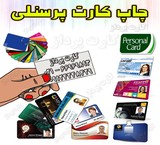
ID Card Printing and Traffic Control | Kuwiu
Ask us for the least time and the cheapest price for the card printing.\r\n\r\nID card printing:\r\ PVC ID Card Print - Immediate Single ID Card - Smart Identification Card Printing\r\n\r\n\r\nPrint Card Control Card:\r\ PVC Personnel Card Print - Immediate Single Personnel Card Print - Issuing Personnel Card in Tehran\r\n\r\n\r\nBank Card Printing:\r\ the traffic control card and identifying\r\n With the best quality and the most appropriate price\r\n\r\n021-66969893
- Gold user
- Trusted Company
- Card payment company
- software
- Tehran
- Make Call
-

PVC Business Card Printing, Photo Business Card Printing
Specialized Business Card Printing Center\r\n\r\nBusiness card is now one of the best ways to introduce your profession and talent to others.\r\nBusiness cards have a lasting and undeniable impact on introducing your business and business. If you have a professional business card, it means that you have been able to express your goals well.\r\nThis center with the best devices is ready to provide business card services to your loved ones.\r\nAsk us for the cheapest and most durable business card.\r\n\r\nPVC business card printing:\r\ card printing\r\ -%DA%A9%A7%D8%B1%D8%AA -%D9%BE%DB%8C-%D9%88%DB%8C-%D8%DB3%Db%8c/\r\n\r\nMagnetic card printing\r\ -%DA%A9%A7%D8%B1%D8%AA -%D9%85%D8%BA%D9%86%D8%A7%D8%B7%DB%8C%D8%DB3%D8\r\n\r\nSmart card printing\r\ -%DA%A9%A7%D8%B1%D8%AAA-%D9%87%d9%88%d8%b4%D9%85%D9%86%D8%AF/\r\n\r\nPrint Card Model\r\ -%DA%A9%A7%D8%B1%D8%AA -%D9%85%D8%A7%DB%8C%D9%81%B1/1//\r\n\r\nPVC Card Digital Printing\r\ offset printing\r\ -%DA%A9%A7%D8%B1%D8%AA -%D8%A7%D9%81%D8%B3%D8%AA-PVC-2/2/\r\n\r\nCombined card printing\r\ Business Card Print:\r\ -%DA%A9%A7%D8%B1%D8%AA -%D9 %88%DB%8C%D8%B2%DB%8C%D8%AA-%D8%B9%B9%A9%D8%B3-%D8%AF%D8%A7%D8%B1/\r\n\r\n\r\nCall for more information.\r\ Printim III Company\r\nIII Phone: 66969893 -021 IIII\r\nIII Mobile: 09124248429 IIII
- Gold user
- Trusted Company
- Card payment company
- software
- Tehran
- Make Call
-
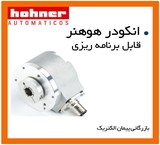
Programmable encoder
بازرگانی پیمان الکتریک به عنوان یکی از بزرگترین مراکز مشاوره و خرید و فروش انواع انکدر ها در ایران می تواند شما را در تهیه ی انواع انکدر های شفت دار، هالو شفت، انکدر های خطی، انکدر های 12 الی 25 بیتی یاری نماید. همچنین شما میتوانید انکدر های با پالس بالای بین 0 الی 65000 پالس با درجه حفاظتی 65 (ip 65) خواهش مند است در صورت نیاز به هر نوع انکدر و مشاوره با شماره تماس های زیرتماس حاصل فرمایید: 33993055-021 / 33993009-021 جهت مشاوره با آقای مهندس آرش هرمان مقدم شرکت هوهنر اسپانیا بزرگترین و برترین تولید کنندهی انکدر ها در اسپانیا می باشد که بازرگانی پیمان الکتریک افتخار همکاری با این شرکت را جهت سهولت و دسترسی آسان و کالای با کیفیت و اصل جهت مشتریان و همکاران گرامی را در ایران فراهم میسازد. در زیر برخی از نمونه های قابل ارئه ی انکدر های اسپانیا معرفی میگردد. 1- انکودر مارک هوهنر HOHNER اسپانیا از پالس های 1 تا 10000 . 2- انکودر مارک هوهنر HOHNER اسپانیا دارای ولتاژهای تغذیه 5 الی 9 ولت یا 10 الی 30 وات. 3- انکودر مارک هوهنر HOHNER اسپانیا دارای شفت و بدون شفت ( HALLOW SHAFT ). 4- انکودر مارک هوهنر HOHNER اسپانیا دارای 6 پالس خروجی مجزا A B Z Anot Bnot znot.. 5- انکودر مارک هوهنر HOHNER اسپانیا دارای کوپلینگ های سر به سر فلزی با سایزهای مختلف ( 6 به 8 و 8 به 10 و . . . ). 6- انکودر مارک هوهنر HOHNER اسپانیا در انواع افزایشی و مطلق (ABSOLUTE & INCREMENTAL) 7- انکودر مارک هوهنر HOHNER اسپانیا در انواع شفت دار و بدون شفت (SOLID SHAFT HOLLOW SHAFT & ) 8- انکودر مارک هوهنر HOHNER اسپانیا با کد های سری SERIE 10 ، SERIE 30 IP67 ، SERIE 19 ، SERIE 36 ، SERIE 59 ، SERIE 58 ، SERIE 26 ، SERIE 77 ،SERIE 20 ، SMRS 64S ، SERIE 80 ، SERIE 28 ، MAGNETIC SENSOR MSL ، MAGNETIC SENSOR MSM، MAGNETIC SENSOR MSH ، LINEAR MEASUREMENT SERIE S10 S11 SERIE ، S20 SERIE ، SERIE S21 ، SERIE S26 ، SERIE S30 ، SERIE S30IP67 ، SERIE S36 ، SERIE S58 ، SERIE S58SinCos ، SERIE S64 ، SERIE S64SinCos ، SERIE S66 ، SERIE S19 ، SERIE S22 ، SERIE S28 ، SERIE S59 ، SERIE S59SinCo ، SERIE S77 ، SERIE S80 ، SERIE PCM10، SERIE PCM10IP67 ، SERIE ، SERIE SCM10 ، SERIE SCM30IP67 ، SERIE SCS10 ، SERIE SCS30IP67 ، SERIE SHM10 ، SERIE SHS10 ، SERIE CM26M ، SERIE SMRS64S ، SERIE ، SERIE ، SERIE ، 9- انکودر مارک هوهنر HOHNER اسپانیا با درجه حفاظت های IP41 تا IP 67 10- انکودر مارک هوهنر HOHNER اسپانیا قابل استفاده در انواع آسانسور ها و دارای گواهینامه از آسانسور OTIS 10- انکودر مارک هوهنر HOHNER اسپانیا دارای انواع فلنج ها Flanges ، کوپلینگ ها Flexible couplings ، کانکتور ها Connectors ، کابل های واصل و متصل کننده Pre-assembled cables ، سوکت و انواع کانکتور با پروتکل های مختلف (CONNECTORS) ، سیستم ضد چرخش(ANTIROTATION SYSTEM) PR90H-23C1C-C انکودر PR90H-23C1C-C هوهنر hohner ، قابل program ، دارای استانداردهای CE و ROHS و درجه حفاظتی IP65 و قابلیت تنظیم پالس خروجی از 1 الی 65.536pulse PR90H-21C1C-C انکودر PR90H-21C1C-C هوهنر hohner ، قابل program دارای استانداردهای CE و ROHS ، درجه حفاظتی IP65 و قابلیت تنظیم پالس خروجی از 1 الی 65.536pulse PR90H-22C1C-C انکودر PR90H-22C1C-C هوهنر hohner ، قابل program ، دارای استانداردهای CE و ROHS و درجه حفاظتی IP65 و قابلیت تنظیم پالس خروجی از 1 الی 65.536pulse PR90H-23C2C-C انکودر PR90H-23C2C-C هوهنر hohner ، قابل program، دارای استانداردهای CE و ROHS ، درجه حفاظتی IP65 و قابلیت تنظیم پالس خروجی از 1 الی 65.536pulse PR90H-21C2C-C انکودر PR90H-21C2C-C هوهنر hohner ، ، قابل program دارای استانداردهای CE و ROHS، درجه حفاظتی IP65 و قابلیت تنظیم پالس خروجی از 1 الی 65.536pulse PR90H-22C2C-C انکودر PR90H-22C2C-C هوهنر hohner ، قابل program ، دارای استانداردهای CE و ROHS ، درجه حفاظتی IP65 و قابلیت تنظیم پالس خروجی از 1 الی 65.536pulse PR90H-21C3C-C انکودر PR90H-21C3C-C هوهنر hohner ، قابل program دارای استانداردهای CE و ROHS ، درجه حفاظتی IP65 و قابلیت تنظیم پالس خروجی از 1 الی 65.536pulse PR90H-23C3C-C انکودرPR90H-23C3C-C هوهنر hohner ، قابل program ، دارای استانداردهای CE و ROHS ، درجه حفاظتی IP65 و قابلیت تنظیم پالس خروجی از 1 الی 65.536pulse PR90H-2XC1C-C انکودرPR90H-2XC1C-C هوهنر hohner ، قابل program ، دارای استانداردهای CE و ROHS ، درجه حفاظتی IP65 و قابلیت تنظیم پالس خروجی از 1 الی 65.536pulse برخی از مشتریان بلقوه و فعال این مجموعه که از این کالا استفاده نموده اند را خدمتتان معرفی میکنیم: 1- شرکت محترم سیمان بجنورد : انکودر PR90H-23C1C-C (2عدد در سال 1390) 2- شرکت محترم سیمان شاهرود: انکودر PR90H-21C1C-C (5عدد در سال 1386) 3- شرکت دانش بنیان : PR90H-22C1C-C (10عدد در سال 1389) 4- شرکت ریسندگی خراسان: PR90H-23C2C-C (5عدد در سال 1385) 5- شرکت بافندگی خاطره ی کاشان: انکدر PR90H-21C2C-C (6 عدد در سال 1393) 6- شرکت محترم شیرین عسل: انکدر PR90H-22C2C-C (9 عدد در سال 1385) 7- صنایع دفاع: انکدر PR90H-21C3C-C ( 10 عدد در سال 1392) 8- شرکت پتروشیمی آمل: انکدر PR90H-23C3C-C (15 عدد در سال 1387) 9- پتروشیمی خراسان: انکدر PR90H-22C1C-C (5 عدد در سال 1380) 10-شرکت ریسندگی فرش ستاره کویر یزد: انکدر PR90H-2XC1C-C (8 عدد در سال 1391) 11- شرکت رسیندگی فرش پاتریس: انکدر PR90H-2XC1C-C (11 عدد در سال 1392) 12- تراکتور سازی تبریز: انکدر PR90H-23C1C-C (6 عدد در سال 1385) 13- شرکت فولاد مبارکه اصفهان: انکدر PR90H-21C1C-C ( 14 عدد در سال 1389) 14- شرکت فولاد غرب آسیا: انکودر PR90H-22C2C-C ( 10 عدد در سال 1390 ) 15- شرکت سیمان بجنورد: انکودر PR90H-23C1C-C ( 9 عدد در سال 1387 ) 16- شرکت سیمان هگمتانه: انکودر PR90H-21C3C-C ( 11 عدد در سال 1392 ) جهت کسب اطلاعات بیشتر و یا جهت مشاهده کاتالوگ به وبسایت پیمان الکتریک مراجعه فرمایید: شماره تماس: 02133993055 / 02133993009 شماره فکس: 02136057593 آدرس: تهران لاله زار جنوبی کوچه بوشهری مجتمع تجاری تهران الکتریک طبقه اول واحد 203 همراه ما در کانال تلگرام باشید:
- Gold user
- Trusted Company
- Electric Treaty
- software
- Tehran
- Make Call
-
Sale of PSS/E36, PSS/E 35, DEHN, CYMGRD8, CYMCAP, DEHN, CDEGS, PLSCADD, DIGSILENT 2024, ETAP2024
Software PSS/E36, PSS/E 35, CYMGRD8, CYMCAP 9.0, DEHN, CDEGS, PLSCADD, DIGSILENT 2024, ETAP2024 are for sale. To purchase, call 09126717215. This company performs all grounding system calculations using CymeGRD, ETAP, CYMCAP, CDEGS 17, or PLSCADD V16.81 software. For purchasing DEHN, CDEGS, CYMGRD, CYMCAP, and PLSCADD software, call 09126717215. The term CDEGS, which stands for Current Distribution, Electromagnetic Fields, Grounding and Soil Structure Analysis, is a powerful integrated software suite designed by sestech to accurately analyze various electromagnetic problems occurring in all industries including electrical networks. CDEGS software offers various advanced solvers to address these issues: – Direct solutions of Maxwell's equations – Circuit-based analyses – Finite element methods – Inversion algorithms – Fourier analysis (FFT) – Transient analysis – Hybrid methods This software also covers all modes of electromagnetic coupling: – Conduction through metallic elements, coatings, and soil – Magnetic induction – Capacitive effects CDEGS includes the following cores: RESAP: Soil Resistivity Analysis MALT: Low Frequency Grounding/Earthing Analysis TRALIN: Detailed Fault Current Distribution and EMI Analysis HIFREQ: Electromagnetic Fields Analysis FCDIST: Simplified Fault Current Distribution Analysis MALZ: Frequency Domain Grounding/Earthing Analysis SPLITS: Detailed Fault Current Distribution and EMI Analysis FFTSES: Automated Fast Fourier Transform Analysis The auxiliary tools in this package include: Autotransient, CETU, FFT21Data, GraRep, GRServer, GRSplits, GRSplits-3D, ROWCAD, SESAmpacity, SESBat, SESCAD, SESConductorDatabase, SESConverter, SESCrossSection, SESCurveFit, SESeBundle, SESEnviroPlot SESFcdist, SESFFT, SESGSE, SESImpedance, SESLibrary, SESPlot, SESPlotViewer, SESResap, SESResultViewer, SESScript, SESShield, SESSystemViewer, SESThreshold, SESTralin, SICLCommand, SoilModelEditor, Given the broad topic of grounding systems, terms like Clean Earth, Dirty Earth, Floating Earth, Single Point Ground (SPG), Multi-Point Ground (MPG), TBB, TMGB, TGB, Star Bonding (STAR), Mesh Bonding (MESH), MBN, IBN, GPR, SRG ... frequently appear in engineering documents. Various software such as ETAP, SGW, SDWorkstation, CDEGS, etc., are offered by different companies for grounding system design. Most grounding system design engineers are familiar with ETAP and CYMGRD software. Some issues with these software include: - Considering the entire grounding network as equipotential - Ignoring the reactive part of grounding system conductors Among these, only SES (Safe Engineering Services & Technologies Ltd) software professionally addresses grounding system design. Some unique features of this software compared to others include: - Grounding system design at high frequencies - Optimal grounding system design for substations and power plants compared to other software - Grounding system design in soil with any number of layers (horizontal, vertical, spherical, cylindrical, with defined volume, etc.) used for special centers like dams - Fault current distribution analysis in the grounding network - Switching state studies caused by lightning strikes on transmission lines, telecom towers, wind turbines, nuclear power plants, etc. - Analysis of transmission and distribution line parameters, power cables, EMI, and EMC - Optimal 3D lightning protection system design (lines, substations, etc.) according to IEEE and IEC standards - Investigation of electromagnetic problems caused by transmission lines on adjacent facilities like railways, oil and gas pipelines, etc. - Study of electromagnetic effects on the environment (corona, acoustic noise, radio noise) The SES software suite from Canada includes several software packages, with the CDEGS package (Current Distribution, Electromagnetic Fields, Grounding and Soil Structure Analysis) being the most prominent. The CDEGS software package consists of 8 modules: RESAP, MALT, MALZ, TRALIN, SPLITS, HIFREQ, FCDIST, FFTSES, or 12 software packages: AutoGround, MultiGround, MultiGround+, MultiGroundZ, MultiGroundZ+, MultiFields, MultiFields+, MultiFieldsPro, MultiLines, AutoGridPro, AutoGroundDesign, Right-Of-Way. Each software package is composed of a combination of several modules as per the table below: CYMGRD is software for designing and analyzing grounding systems, created to help engineers optimize new network designs and strengthen existing networks of any shape. Advanced features in a graphical environment combined with efficient analysis algorithms make this software a powerful tool for engineers to develop technical and economical designs. This software allows design of grounding for substations, power plants, factories, and buildings. Design can be for uniform or two-layer horizontal soils and calculates touch and step voltages based on IEEE standards. For grounding calculations of solar power plants, considering that panel structures are part of the grounding system, calculations differ somewhat from typical substation grounding. The software receives fault current magnitude and duration, soil resistivity, and body weight from the user and performs the following operations using soil, network, and diagram modules: 1- Soil Module Measures soil resistivity based on one or two-layer models. This module can plot measured and calculated resistivity and calculates maximum virtual touch and step voltages according to standards. 2- Network Module Calculates current injected by each conductor into the soil and determines soil surface potential using these currents. The grounding grid can be defined as a single conductor or a set of conductors connected in a square. Substation layout can be drawn in 2D or 3D. Underground pipes and adjacent grounding grids can also be considered to see their impact on fault current and surface voltage. 3- Diagram Module Summarizes soil resistivity and surface potential analysis results on the display and uses 2D and 3D color graphics for better presentation. Key features of CYMGRD software: - Grounding system design for low frequencies (especially substation grounding design according to IEEE 80-2000) - Supports IEEE 80 2000, IEEE 81 1983, and IEEE 837 2002 standards - Finite element analysis of conductors and rods in grounding grids - Calculation of station ground resistance (Rg) and Ground Potential Rise (GPR) - Touch and surface potential analysis inside and outside the grid with color display - Step voltage analysis - Supports symmetrical or asymmetrical grids of any shape - Modeling of return and distinct electrodes - Calculation of maximum single-phase to ground fault current for a specified grid - And more... CYMGRD Screenshot 1 CYMGRD Screenshot 2 CYMGRD The CYMGRD software is a substation grounding grid design and analysis program specially developed to help engineers optimize the design of new grids and reinforce existing grids, of any shape, by virtue of easy to use, built-in danger point evaluation facilities. User-friendly data entry, efficient analysis algorithms and powerful graphical facilities make the CYMGRD software an efficient tool that helps the engineer arrive at technically sound and economical designs. Program Features The use of the CYMGRD software allows for the rapid analysis of various design alternatives to choose an economical solution for any particular installation. The program conforms to IEEE 80™ 2000, IEEE 81™ 1983 and IEEE 837™ 2002. Analytical Capabilities - Finite element analysis of the ground grid conductors and rods - Computation of the station ground resistance (Rg) and the Ground Potential Rise (GPR) - Touch and surface potential analysis, inside and outside the grid perimeter, with color display in 2D or 3D representation - Step voltage analysis - Uniform or two-layer soil model from field measurements or user-defined values - Computation of reduction factor (Cs) - Library of the most common types of surface layer materials - Library of typical station soil resistivity values - Safety assessment calculations for maximum permissible touch and step voltages as per IEEE 80™ 2000 - Current Split Factor (SF) estimated from substation configuration data as per IEEE 80™ 2000 - Computation of the Decrement Factor (DF) from bus (X/R) ratio and shock duration data as per IEEE 80™ 2000 - DC component of asymmetrical fault current taken into account in the computations - Electrode analysis for the optimal sizing of conductors and rods based on the most common type of electrode material as per IEEE Std. 80-2000 and Std. 837-2002 - Supports symmetrical or asymmetrical grids of any shape - Arbitrarily located ground rods - Ability to model return electrodes and distinct electrodes - Ability to model concrete encased rods - Computation of maximum single phase to ground fault current for a specified grid The CYMGRD/AutoCAD® Interface module The CYMGRD / AutoCAD® Interface module allows the user to alternate between the AutoCAD® and the CYMGRD environments. This utility is not a substitute for AutoCAD®. In fact, AutoCAD® remains a firm software requirement for CADGRD, because it is AutoCAD® that will produce the necessary .DXF or .DWG file(s) that contain the pictorial description of the substation grid layout realized with the CYMGRD software. Simulation Results Management The charts functionality allows: - Graphical comparison of deduced soil model with field measurements, for model acceptance - Color-coding of the surface potential gradients based on user-defined thresholds for touch or surface potentials. Any area of the grid can be selected with the mouse for detailed calculations and danger point evaluation - Equipotential contours for surface potentials in either 2-D or 3-D plots, with facilities to examine the graphs from any desired viewing angle - Graphics of touch and step voltage variation along any straight line, with comparison to the safe values computed by the safety assessment module - Graphic indications on the 2-D grid layout of the area being analyzed for touch and step voltages, for easy identification of hazardous locations More info (open/close) Explanation of grounding design with DEHN: DEHNsupport Toolbox software is a planning tool for lightning protection systems offering various calculation options ranging from risk management to calculation of air terminal rod lengths, separation distances, and grounding electrode lengths. DEHNsupport software, produced by DEHNsupport company, provides easy and practical electronic planning and decision support for planners, lightning protection system installers, and electricians. This significantly facilitates professional implementation of a comprehensive lightning protection system. DEHNsupport Toolbox has been developed with another module and now also supports internal lightning and electrical protection planning. The new DEHNselect SPD software module allows definition and selection of all internal lightning and electrical protection products. This program provides a structured plan with a bill of materials and quick online access to all selected product documents such as data sheets and installation instructions. The DEHN support toolbox consists of the following modules: DEHN Risk Tool (Risk Management Module) DEHN Distance Tool Module (Separation Distance Calculation) DEHN Air-Termination Tool (Air Terminal Rod Length Calculation) DEHN Grounding Tool (Ground Electrode Length Calculation) DEHNselect SPD Tool Module (Surge Protective Device Selection and Dimensioning Guide) 1- Register the design in the system and receive a dedicated user panel 2- Calculate short circuit in TN and TT networks considering distribution factors, X/R ratio, and other recommendations in IEEE80 standard 3- Interpret soil resistivity in multilayer soils and determine apparent resistivity and effective depth 4- Grounding system calculations including resistance, GPR graph, step voltage, touch voltage, protective device trip time, and selection of trip curve and protective device 5- Select electrode material and grounding system conductors 6- Prepare official report in PDF format Tested download link for CYMGRD V.6.3.R7 software: Password: cyme Installation method: First, disable antivirus, then run the grd637 file. After installation, place the pk42mvdR.dll file in the software installation folder (usually not in C drive). Then click on CYMGRD inside the installation folder to run the software. If no error message appears, the software is installed correctly. If an error about missing SC32W file appears, copy the contents of the REQUIRED FILE folder into the installation folder. This will solve the problem. The following modules enable realistic and practical cable study: Power Cable Ampacity Duct Bank Optimizer Module Multiple Duct Bank Module Short Circuit Rating Real Time Temperature Rating CYMCAP/MDB, Multiple Duct Banks module CYMCAP Software: CYMCAP software is used for precise calculation of capacity and heat rating of power cables. Its accuracy increases confidence during cable installation upgrades and new cable design. It also enhances system reliability and supports proper use of installed equipment. CYMCAP performs thermal capacity and temperature rise calculations for power cable installations. Determining the maximum current cables can carry without damaging their electrical properties is crucial for electrical facility design. This software is jointly developed by Ontario Hydro (Hydro One), McMaster University, and CYME International under the Canadian Electricity Association. Selecting the correct cable size in projects is one of the most important engineering tasks, often done without software. If the chosen size is smaller than needed, cable damage or system malfunction may occur; if oversized, despite proper operation, economic design considerations are neglected. Usually, engineers size cables based on voltage drop and short circuit criteria, neglecting thermal sizing. For thermal sizing, especially for MV and HV cables, cable construction and layer specifications must be accurately modeled, and allowable current calculated based on installation environments like underground, air, tunnels, ducts, trenches, etc. This course uses the professional cable sizing software CYMCAP to introduce various cable aspects, steady-state sizing, transient sizing based on current profile, estimation of temperature field around cables, calculation of magnetic flux density around cables, induced voltage on shields, optimizing cable layout in duct banks, cable impedance matrix calculation, etc., based on IEC60853, IEC 60287 standards and Neher-McGrath method. To purchase CYMCAP software, call 09126717215.
- Gold user
- Trusted Company
- Azarakhsh Technology Pyramid Company
- software
- Tehran
- Make Call
-
Virtual Phone Number: Modern Strategy for Communication
Virtual Phone Number: Modern Strategy for Communication Virtual Number is a phone number that is not connected to a physical phone line and works online. These numbers allow you to receive and send calls and SMS without the need for a SIM card. *Benefits of using virtual telephone number: Store Sushal Privacy: Using a virtual number, you can keep your identity secret and prevent unwanted calls. Flexibility: Virtual numbers can be used on any device that is connected to the Internet. Cost Reduction: The cost of using virtual numbers is much lower than landline lines. Customization Ability: You can choose the virtual number with your preferred number. Different applications: Virtual numbers can be used for a variety of purposes, including business, marketing, registering for sites and applications. *Virtual Social Networking Number Virtual Number on Social Networks: A smart solution for privacy and security The virtual phone number, as its name implies, is a phone number that does not exist physically and is activated online. These numbers allow you to receive and send calls and texts without the need for a SIM card. In today's world, social networks make up a large part of our lives, the use of virtual numbers has many benefits. *Why do we need a virtual phone number on social networks? Privacy: Using a virtual number, you can keep your true identity hidden and prevent annoying and spam calls. Creating multiple accounts: Many social networks allow only one account per phone number. With a virtual number, you can have several accounts on one social network. More Security: If you use your personal number on a social network, your personal information may also be at risk. But using the virtual number, this risk is minimized. Facilitating multiple accounts: If you are working on multiple social networks, multiple telephone numbers can be difficult. Using a virtual number, you can manage all your accounts with one number. * In trade and commerce to supply products on the world's sites, especially neighboring countries Provide a virtual number in the Social Store Login Login Enrolls Selects the services offered by virtual number With 120 platforms/ social networks/ site: WhatsApp/ Telegram/ Instagram/ Facebook .... And then you specify the country. We make the virtual number. Important Tips of the Sushtore Virtual Store Number Service: Support: We provide 24 -hour support. Contact Quality: Bag
- Gold user
- Social store
- software
- Gilan
- Make Call
-

Panel member and follower of Social Store
استور سوشال :مجری تبلیغات در شبکه های اجتماعی و مجموعه ای حرفه ای و متخصص در بازاریابی و تبلیغات در فضای مجازی با داشتن نیروهای توانمند، پنل ممبر فالوور و نوتیفیکیشن استور سوشال را برای ارائه خدمات مجازی مختلف اعم از سرویس های افزایش فالوور، ممبر، لایک، کامنت، رای و نظرسنجی، دایرکت، ریچ، ایمپرشن و… راه اندازی نموده است پنل کاربر عمومی تمامی افراد متقاضی سرویس های خدمات مجازی، می توانند وارد پنل ممبر فالوور نوتیفیکیشن استور سوشال شوند و پس از ثبت نام سرویسهای خدمات مجازی مورد نیاز خود را با قیمت پایه خریداری نمایند، که در این صورت به عنوان کاربر عادی یا عمومی محسوب می شوند. افراد به عنوان کاربر و در سطح کاربر عمومی به تمامی سرویس های پنل با قیمت پایه دسترسی خواهند داشت و از آموزش های عمومی نیز می توانند استفاده نمایند. پنل کاربری ادمین با ارتقا ار سطح کاربری عادی به ادمین، در سطح کاربری ادمین، تعرفهها کاهش پیدا کرده و سرویسهای خدمات مجازی با تخفیف ۳۰ درصدی، قیمتی پائینتر از قیمت پایه ارائه میشود. ضمن اینکه امکان درخواست همکاری با مجموعه استور سوشال نیز برای این کاربران فراهم می شود. آموزش های اختصاصی کار با پنل، به صورت مستمر از طرف کارشناسان استور سوشال در اختیار کاربران ادمین قرار می گیرد. پنل کاربر بازاریاب در سطح کاربر بازاریاب، سرویسهای موجود در پنل ممبر فالورو و نوتیفیکیشن استور سوشال با ۴۵ درصد تخفیف در دسترس کاربران عزیز بازاریاب قرار می گیرد.. ضمن اینکه آموزش اختصاصی به صورت مستمر و مشاوره اختصاصی به صورت ماهانه،نیز به این عزیزان داده می شود. پنل همکار طلایی در این سطح علاوه بر دسترسی به تمامی سرویسهای ارائه شده در پنل ممبر فالوور و نوتیفیکیشن استور سوشال با تخفیف سفارش ۶۰ درصدی، آموزشهای مستمر ویژه و مشاوره اختصاصی بهصورت هفتگی در اختیار کاربران عزیز قرار خواهد گرفت.
- Gold user
- Social store
- software
- Gilan
- Make Call
-

Andisheh Online Website Design
The Andisheh Online design team, through years of effort and designing hundreds of successful projects both in website design and website optimization services, is one of the website design centers in the west of Tehran province. The Andisheh Online expert team is ready to design any type of custom website using technologies and templates, and if desired by valued customers, to bring it to the first page of Google. High security, beautiful design, the possibility of future website development, receiving payment gateways, the ability to add online payment for selling goods and services, the possibility to add special features to the website, specialized support, maintenance. Don't miss our free consultation. Website design in Andisheh is done with creativity and ideation. Features such as responsiveness and adherence to SEO principles have been our priorities, and the next step is UI (User Interface) and UX (User Experience) in website design projects, which causes a deep impact on the user's memory. Free Consultation Just explain your needs and business to us, so that the Andisheh Online website design consultant can introduce platforms and services based on them. Many of our clients realized their mistakes after consultation and reconsidered their chosen path. (Andisheh Website Design)
- Gold user
- Andisheh Online
- software
- Tehran
- Make Call
-

ETAP20.0.2 software
It is a powerful and comprehensive software for modeling, simulating and analyzing electrical power systems. This software by Electric Power Technologies International, Inc. (EPT) is developed and widely used in various industries, including power plants, industrial installations, power distribution systems and large power grids. ETAP key features are: Modeling: ETAP allows you to create sophisticated and sophisticated models of your power systems. The software includes extensive libraries of electrical equipment such as generators, transformers, transmission lines, relays and briches. Simulation: ETAP can simulate a wide range of operating conditions, including stable, transient, harmonic and dynamic states. This allows you to predict your system's performance under different conditions and identify possible weaknesses. Analysis: ETAP contains a complete set of analytical tools to help you understand your system's performance. These tools can be used to calculate currents and voltages, overload identification, voltage stability, and harmonic studies. Reporting: ETAP allows you to make comprehensive reports of your simulation and analysis results. These reports can be used to document your findings, share information with stakeholders, and track project progress. The benefits of using ETAP are: Cost Reduce: ETAP can help you save money by helping you design more efficient power systems, prevent shutdowns and increase equipment life. Increased reliability: ETAP can help you enhance the reliability of your power systems by helping you identify and fix possible weaknesses before the problem occurs. Decision Improvement: ETAP can help you improve decision -making by providing accurate and reliable information about your system performance. Reduce time: ETAP can help you reduce the time needed to design, test and operate power systems. Please call or message 09126962915
- Gold user
- Electricity of the system
- software
- Tehran
- Make Call
-
Production and printing of advertising mouse pads Pedmos with custom design printing
Mouse pad is a simple and widely used device for all people and businesses. A tool that different people in different jobs and situations are always using. What advertisement or gift could be more valuable than printing on a mouse pad? Maximum performance by always being in front of the user\'s eyes, ideal and suitable price, possibility to print customized and desired design and photo (logo, photo, text, etc.)\r\nChaparang, as a producer of advertising mouse pads, offers the best quality and price for printing on mouse pads.\r\n\r\nPromotional mouse pad
-

Affordable Composition and Arrangement with Minimal Cost in Tehran
Composition and arrangement in all popular Iranian and global styles and genres in a completely professional manner with full and comprehensive mastery and years of experience and active continuous presence, along with strong samples in various styles and very reasonable; exceptional and minimal rates Production of noble and valuable music content All services at the highest quality and lowest cost: - Complete package of lyrics, composition, and arrangement - Composition and arrangement on your lyrics - Arrangement on your lyrics and melody - Cover and re-singing - Rearrangement of songs - Podcast and exclusive remix production for your brand or as a gift to your loved ones - Vocal mixing and mastering - Mixing recitation on archival music - Significant enhancement of song quality and equalizer - Professional editing and sound and music editing Specialized styles: - Pop - Classic pop - Fusion traditional pop - Trance, house, techno, electronic - Rap and hip hop (custom beat production) - Rock (classic rock - metal - pop rock, etc.) - Jazz - Children's music (joyful Iranian-style children's songs and specialized production of songs similar to Walt Disney company style) - Religious music - Epic and national music - Local and regional music (Kurdish - Luri - Kermanshahi - Bakhtiari - Azerbaijani Turkish - Bandari - Mazani - Gilaki - Arabic song production) - Music for choir and Tawasheeh groups - Studio production of elegies and eulogies - Composition for theater and plays - Composition for advertising teasers Link to Aparat channel: Samples of compositions in various styles with explanations Active messengers for the contact line in the ad: Telegram Rubika Eitaa Bale Soroush If you wish to contact via ID All messengers with ID: Mghorbani321
-
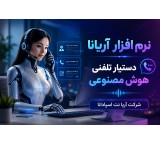
AI Phone Assistant
Title: Ariana AI Phone Assistant | Smartening Issabel Phone and Contact Center Today, customers expect to receive appropriate answers to their questions and requests at any hour of the day. Increasing incoming call volumes, long wait times on hold, and complete dependence on human operators are challenges many businesses face. The "Ariana" AI phone assistant is designed to address these challenges and create a new generation of phone response. Ariana is an AI voice assistant for telephone and VoIP systems that can integrate with an organization's telephony infrastructure, especially Issabel and Asterisk. Instead of forcing the caller to choose from multiple IVR menus, it enables a natural and voice-based conversation with the system. The caller can express their request in natural language, and Ariana provides an appropriate response based on the scenario and information defined for it. If needed, the call can be transferred to an extension, queue, or relevant expert. Features of Ariana Phone Assistant The intelligent Ariana phone assistant can be used for various sales, support, customer service, and initial call response scenarios. Some features of this solution include: • Intelligent answering of phone calls • Natural voice conversation with the caller • Support for 24/7 response • Connection to Issabel and Asterisk phone systems • Call transfer to the desired expert or extension • Execution of custom scenarios for businesses • Ability to connect to APIs and organizational software • Ability to receive and send information during the conversation process • Sending SMS in required scenarios • Recording information and call histories • Providing reports and information related to calls • Ability to respond to multiple simultaneous calls • Usable in sales, support, and customer service units Artificial Intelligence Serving the Contact Center One of Ariana's important applications is the use of artificial intelligence in contact centers. Many incoming calls include repetitive questions or requests that do not necessarily require a human operator's presence to answer. Using an intelligent phone assistant, initial calls can be managed automatically, allowing human experts to focus on calls requiring specialized review or direct customer interaction. This method can be a suitable solution for companies receiving a large number of calls to organize their response processes. Suitable for Businesses Equipped with VoIP and Issabel If your organization uses a VoIP phone system, Issabel, or Asterisk, AI capabilities can be added to the phone response process. Ariana is developed for use in such infrastructures and can have custom scenarios based on each organization's needs. From answering frequently asked questions to collecting customer information, guiding callers, sending SMS, transferring calls, and integrating with software services, various processes can be defined for the phone assistant. Applications of Ariana This solution can be used in companies, stores, service centers, clinics, organizations, contact centers, and entities where telephone communication is a vital part of their activities. If you are looking for an AI phone assistant, intelligent phone responder, AI for Issabel, AI for Asterisk, smart contact center, or VoIP system smartening, Ariana can be a suitable infrastructure to start this path. For technical details, features, and how to use this product, you can visit the introduction page of Ariana AI Phone Assistant on the Aria Net Espadana website: Keywords: AI phone assistant, AI voice assistant, AI telephony, AI VoIP, AI Issabel, AI Asterisk, intelligent phone responder, intelligent voice responder, smart contact center, contact center smartening, intelligent IVR, smart phone system, intelligent call assistant, phone call automation
- Trusted Company
- Aria Net Spadana
- software
- Esfahan
- Make Call
-

Voice Recognition Software in Issabel
Voice Recognition Software in Issabel: An Advanced Solution for Converting Voice to Persian Text With the growing use of VoIP telephone systems in organizations, the need for conversation analysis and automatic contact information recording is increasingly felt. Voice Recognition Software in Issabel uses Artificial Intelligence (AI) to accurately convert call audio into Persian text and automatically stores it in Didar CRM and the database. This tool integrates Issabel for call management, GPT-4O for audio processing and transcription, and Didar CRM for data storage and analysis, providing a comprehensive solution for businesses aiming to enhance their sales and support teams' performance. This software not only records your conversations but also analyzes them and provides valuable information for business decision-making. Features of Voice Recognition Software in Issabel - Voice to Persian text conversion: Using AI, call audio files are converted into accurate and editable text. - Automatic storage in Didar CRM: Conversation texts are automatically saved in Deal Notes. - AI conversation analysis: Identification of key call points, customer requests, satisfaction levels, and sensitive topics. - Compatibility with Issabel and VoIP: Stable performance on Issabel, Asterisk, and other open-source platforms. - Search and reporting capabilities: Search by phone number, date, extension, or conversation content and save results in Excel files. - Information security: Files are processed within the internal network without internet access to protect sensitive call data. GPT-4O: The AI Core of Voice Recognition GPT-4O software, as one of the most advanced AI models, is at the heart of this system. It uses deep learning models to convert call audio into precise text even in noisy environments. Key features of GPT-4O: - Full support for Persian language. - Fast and accurate processing even in busy and long calls. - Operation within the internal network to maintain organizational data security. After each call ends in Issabel, the audio file is sent to GPT-4O AI. The system processes the file and prepares the final text for storage in Didar CRM. Didar CRM: Automatic Conversation Management and Analysis Didar CRM is one of the most advanced customer relationship management software designed specifically for businesses where phone communications are a vital part of sales and support processes. Didar capabilities at a glance: - Automatic saving of call texts. - Quick search among recorded conversations. - Call scoring for team performance evaluation. - Viewing call history and automatic customer follow-up. By connecting this software to Issabel, sales and support experts can read call texts instead of listening to audio files. This feature saves time and increases team productivity. Functionality of Voice to Text Software in Issabel Workflow of the software: 1. A phone call is made through the Issabel system, and the audio file is saved in a specified path. 2. The audio file is sent to the AI server and processed by GPT-4O. 3. The extracted text, along with contact information (phone number, extension, date, and call ID), is stored in Didar CRM. 4. Managers and experts can access conversation texts by searching the data and perform necessary analyses. Additionally, conversation texts and their analyses can be saved as Word or Excel files for periodic training. AI Conversation Analysis One of the standout features of this software is AI-based conversation analysis. After converting voice to text, the conversation content is sent to the AI engine for analysis. The conversation analysis output includes: - Call summary. - Customer requests. - Customer satisfaction level. - Sensitive topics and improvement suggestions. This feature helps managers and sales teams better understand customer needs, improve service quality, and manage future calls more effectively. Why Use Voice Recognition Software in Issabel? - High accuracy in Persian speech recognition, even in noisy environments. - Automatic contact information storage, reducing human errors in data entry. - AI conversation analysis to identify key call points. - Increased productivity of sales and support teams, saving time and improving response quality. - Information security by processing data within the internal network without internet. - Full compatibility with open-source systems like Issabel and Asterisk. Additional Features and Integration with Other Modules This software can be combined with other Issabel modules to become a comprehensive and powerful system for your organization. Some of these modules include: - SMS sending module in VoIP. - Call pop-up on Windows. - Automatic call software in VoIP. Conclusion: Turn Voice into Knowledge Voice Recognition Software in Issabel is a powerful tool for businesses wanting to use AI in VoIP for call management and conversation analysis. By converting voice to Persian text and analyzing conversation content, it enables improved performance of sales and support teams. With this tool, your customers' voices are no longer just heard; they are transformed into valuable and usable data. If you are looking for a modern solution to enhance service quality and increase organizational productivity, this software is an ideal choice. Suggested Keywords: Voice Recognition Software in Issabel Voice to Text Conversion in VoIP AI in VoIP AI Conversation Analysis Didar CRM and Issabel
- Trusted Company
- Aria Net Spadana
- software
- Esfahan
- Make Call
-

Popup Phone Call
VoIP Popup Call Software (Popup Calls): Intelligent Call Management on Windows In today's competitive world, speed and accuracy in managing phone calls are key factors for organizational success. VoIP Popup Call software (Popup Calls) is a practical and intelligent tool that allows you to see caller information instantly on your Windows computer and respond professionally. This software, with special features such as call display on Windows, call history logging, and VoIP phonebook, provides a smooth and professional experience for managing phone calls. If you are looking to improve organizational communications and increase customer satisfaction, Popup Calls is the best choice for you. Key Features and Capabilities of VoIP Popup Call Software Caller Information Display: - Shows the caller's name and phone number as a popup. - Allows real-time viewing of incoming and outgoing calls. Call History: - View the number of previous calls each contact has made to the organization. - Displays information about the last responding agent and the subject of the previous call for faster interaction. - Records call ratings and comments in the VoIP database. VoIP Phonebook: - Quick search capability based on name, phone number, company name, and other details. - Click-to-Call feature to reduce dialing errors. Call Reporting and Management: - Displays comprehensive call reports based on date, extension, contact name, and phone number. - Ability to save reports and contact information in Excel files for better analysis. Real-time Editing and Data Entry: - Edit contact information without interrupting the call. - Add new contacts via Excel file or manually. Applications of Popup Calls Software Organizational Call Management: This software is a professional tool for managing incoming and outgoing calls, helping employees view complete customer information instantly and respond more quickly. Increasing Customer Satisfaction: Displaying the customer's name at the start of the call and tracking previous calls gives customers a greater sense of value, improving business relationships and increasing loyalty. Easy Follow-up on Past Calls: By recording call histories, agents can better manage follow-up processes and enhance customer experience. Reducing Wait Time: Showing previous call information and click-to-call capability reduces customer wait times and improves communication quality. Management Reports in Popup Call Software Popup Calls software enables managers to comprehensively and accurately analyze phone calls. Management features include: - Call reports based on phone number, date, extension, and contact name. - Exporting registered contacts in the phonebook to Excel. - Adding, editing, and deleting contacts individually or in groups. - Quick search and display of call history for each contact. Software Compatibility and Installation Process VoIP Popup Call software is fully compatible with open-source VoIP phone systems like Issabel and Asterisk. Installation and setup are very fast, and it runs on Windows 10 and 11. - No separate server required: This software runs on your organization's existing VoIP server. - Compatible with various Issabel and Asterisk versions: Supports the latest VoIP PBX versions. - Can connect to other VoIP products: Such as post-call SMS modules or bulk voice call software. Why Choose Popup Phone Call Software? - Increases response speed to customers: Instant display of contact information enables faster, more professional responses. - Reduces communication errors: Click-to-Call minimizes dialing mistakes. - Improves call management: Recording and displaying previous call information allows more effective communication management. - Enhances customer satisfaction: Personalized call information strengthens customers' sense of value. - Enables more professional communications: Popup Calls software provides an intelligent and smooth experience for managing phone calls. Conclusion: Professional Organizational Call Management VoIP Popup Phone Call software is a powerful tool for organizations, call centers, and companies seeking an intelligent solution for call management. With features like popup display of contact information, call history logging, quick search, and one-click calling, it offers a professional and satisfying experience for staff and customers. If you want to increase your communication team's productivity and improve the quality of organizational interactions, get Popup Calls now and feel the difference in managing your phone calls!
- Trusted Company
- Aria Net Spadana
- software
- Esfahan
- Make Call
-

Survey Module
Isabel Survey Module: A Powerful Tool for Collecting Customer Feedback In today's world, business success depends on customer satisfaction. The Isabel survey module, as one of the advanced tools in VoIP telephone systems, enables the collection of customer opinions after phone calls. This system, with features such as recording feedback, rating operators, and providing comprehensive reports, helps you improve your service quality and establish a more professional connection with customers. Importance of Phone Surveys in VoIP VoIP phone surveys provide valuable information about customer needs, expectations, and satisfaction levels. These data help organizations optimize their services and products based on real customer feedback. Additionally, phone surveys strengthen the brand and increase customer loyalty. Top Features and Capabilities of the Isabel Survey Module Display Average Operator Score: Evaluate operator performance based on extension number and name. Number of Answered Calls: Review each user's activity level. Graphical Charts: Analyze data over different time periods with precise charts. Call and Score Details: Information such as phone number, score, call time, and queue number. Excel Reports: Ability to download comprehensive reports for better data analysis. Listening to Recorded Feedback: Customer audio feedback files are available immediately after recording. Sending Feedback to Managers' Emails: Automatic sending of feedback to managers' emails for immediate review. Dynamic Settings: Ability to change survey settings and easily manage the system. Impact of Implementing the Isabel Survey Module in Organizations Implementing the VoIP survey system has significant effects on improving organizational performance. This system allows you to: Evaluate operator performance accurately: by displaying average scores and analyzing calls. Identify customer needs and expectations: through collected data. Make better managerial decisions: using comprehensive reports and graphical charts. Strengthen customer relations: by providing services directly optimized based on customer feedback. How Does Phone Survey Work? In VoIP systems, phone surveys are usually automatically activated after the call ends. Customers respond to specific questions via an Interactive Voice Response (IVR) menu, such as: Rating service quality. Evaluating operator responsiveness. Satisfaction with the call. These responses are stored numerically (e.g., scores from 1 to 5) or as audio recordings and saved in the system database. Managers can analyze this data to identify team strengths and weaknesses. Unique Features of the Isabel Survey Module The Isabel survey module offers capabilities beyond collecting customer feedback: Detailed data analysis: with graphical charts and comprehensive reports. Immediate listening to recorded feedback: for quick review. Sending feedback to email: customer opinions are automatically sent to managers' emails. Customization options: survey settings can be changed and personalized. Utilizing VoIP Technology for Surveys The VoIP survey module is popular among organizations due to ease of use, high efficiency, and reasonable cost. This system not only enables phone surveys but also provides tools like precise reporting and sending related SMS messages. Connecting this system to other modules such as the call SMS sending module or voice-to-text software in Isabel multiplies its value. Why Choose the Isabel Survey Module? Increase customer satisfaction: collect and use customer feedback to improve services. Evaluate operator performance: accurate score display and call analysis. Better decision-making: provide comprehensive reports and graphical charts for managers. Strengthen organizational communications: use customer feedback to enhance interactions. Ease of use: quick and easy installation and setup. Conclusion: Phone Surveys, a Way to Improve Service Quality The Isabel survey module is a powerful tool for collecting customer feedback and evaluating support team performance. With features like precise reporting, data analysis, and sending feedback via email, it helps organizations optimize their services and establish a more professional relationship with customers. If you are looking for a solution to measure customer satisfaction and improve service quality, the Isabel survey module is a suitable choice for you. Suggested Keywords: Isabel Survey Module VoIP Phone Survey VoIP Phone Survey System Operator Evaluation in Isabel VoIP VOIP Survey
- Trusted Company
- Aria Net Spadana
- software
- Esfahan
- Make Call
-

Call SMS Sending Module
Isabel SMS Sending Module: Intelligent Communication with Customers After Calls In today's competitive world, a successful business is one that can establish effective, fast, and valuable communications with its customers. The Isabel Call SMS Sending Module, as one of the powerful tools in VoIP telephone systems, offers an intelligent solution for automatically sending SMS to callers after the end of a conversation. This module, fully compatible with Isabel and Asterisk, automatically sends thank you messages, important notifications, and even advertisements to customers. Using the SMS sending module improves customer experience, strengthens their sense of value, and makes your brand appear more professional and credible. Why is sending SMS after calls in VoIP important? Today, businesses using VoIP telephone systems need solutions that enhance customer experience and make communications more effective. The Isabel Call SMS Sending Module is designed precisely for this need. This tool, by sending intelligent and customized SMS after calls, not only creates a sense of satisfaction and value in customers but also provides an opportunity for advertising and brand strengthening. Main features of the Call SMS Sending Module in VoIP - Intelligent SMS sending after calls: Automatic sending of thank you messages, advertisements, or important notifications to callers immediately after the conversation ends. - SMS text customization: Ability to set different messages for incoming and outgoing calls. Messages can include thanks for the call or information related to services. - Sending responder expert information: Including the name and extension of the answering expert in the SMS text for easier customer follow-up. - Support for incoming and outgoing calls: Sending different messages based on call type, enabling more professional customer communication management. - Easy user interface: A simple and understandable user panel that is usable for all users, even with limited technical knowledge. - Full compatibility with Isabel and Asterisk: Support for various versions of open-source VoIP systems (including versions 16 to 18). - Expandability: Ability to use the module in IVR, queues, sending registration links or medical appointment bookings, sending messages at the end of calls, and more. 5 Key Applications of the VoIP SMS Sending Module - Thanking customers: Sending thank you SMS along with brand name strengthens the customer's sense of value. - Notifications: Sending important information such as address, website link, or organization numbers via SMS. - Branding enhancement: Advertising the company name and services through SMS helps brand retention in customers' minds. - Providing supplementary information: Sending more details or useful links to callers for easier access to information. - Sending SMS for missed calls: Notifying customers about missed calls, an opportunity to attract their attention. Economic Applications of the VoIP SMS Sending Module The Isabel Call SMS Sending Module not only improves customer experience but is also very cost-effective. This system allows businesses to manage their communications at minimal cost and create new advertising opportunities. Story of the VoIP SMS Sending Module Production The idea for producing this module started from a personal experience; when a notification SMS and thank you message after a call from a company conveyed a sense of value and credibility. This experience showed how impactful automatic SMS sending can be. Therefore, by designing this module, the possibility of sending intelligent messages fully automatically was provided so that other businesses could also benefit from its advantages. Compatibility of the SMS Sending Module with Various SMS Panels This module is by default compatible with the 0098SMS panel but can also connect to other SMS panels. Therefore, it is possible to use any desired panel for sending SMS. Also, purchasing this module along with other products such as VoIP call-to-text software or survey modules includes discounts or free versions of the SMS sending module. Advantages of the Isabel SMS Sending Module - Affordable price: Low cost compared to the high efficiency of this system. - Quick installation: Installation and activation take less than an hour. - Lifetime license: Software is provided with a lifetime license. - Support for various panels: High flexibility to connect to your preferred SMS panel. Why should you use the VoIP Call SMS Sending Module? - Enhancing customer trust: Sending personalized SMS strengthens trust and sense of value. - Creating advertising opportunities: SMS acts as a powerful advertising tool. - Professional communication: Intelligent SMS reflects the professionalism of your organization in interactions. - Expandability: Usable in various scenarios such as sending special messages in call queues, IVR, etc. Conclusion: SMS after calls, a simple way to strengthen communications and advertising The Isabel Call SMS Sending Module is a modern solution to improve customer communications and increase the quality of telephone interactions. This system, with the ability to automatically send thank you, notification, or advertising messages, allows you to establish more professional communications and embed your brand in customers' minds. If you are looking for a cost-effective and efficient solution, this module is an excellent choice for small and large businesses. Suggested Keywords: Isabel SMS Sending Module Intelligent SMS after calls VoIP call SMS sending SMS sending after calls VoIP intelligent SMS system
- Trusted Company
- Aria Net Spadana
- software
- Esfahan
- Make Call
-
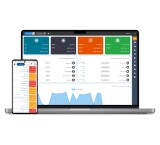
Yekta Motorcycle Courier Management Software
Yekta Courier Management Software is a powerful, easy, and precise program designed to mechanize companies and urban delivery and transportation service collections such as motorcycle couriers, restaurant couriers, car or pickup couriers. This software has been developed by Iranian experts and programmers at Aria Pishro System Maham Company after a full year of reviewing the urban courier service process. Currently, it can cover more than 80% of the needs of courier service companies, which will soon reach 98% with the addition of features under development. The production of Yekta Motorcycle Courier Software has been designed to be effective for small, medium, and large companies, allowing each courier service collection to request and purchase necessary features based on their needs, which reduces initial setup costs. There is also the capability to add custom features for your company after feasibility studies and cost estimation by our programming team. - Web-based management panel - Customer version application - Android courier (driver) application - Powerful service registration and distribution panel - Transparent and complete service tracking - Special, precise, and easy courier management - Financial and performance reports - Customer section - In-app messages and SMS
- Trusted Company
- Arya Pishro System Maham
- software
- North Khorasan
- Make Call
-

VR virtual reality
Virtual Reality Tour is a multimedia information collection with special visual effects and a complete package of different types of information with the possibility of presenting it to the audience. Viewers can move in a simulated way by rotating, enlarging images or moving in different parts of the virtual tour and see all the details and angles in the desired location.\r\n\r\n The most important indicator of the output quality of VR projects is believability. By entering your virtual reality tour, the user should experience the illusion of the virtual world and feel himself in that place and time. The structure of the virtual tour is a combination of 360-degree photography, 360-degree filming, 3D modeling and programming, and it is possible to prepare its outputs for all operating systems such as Windows, mobile and Mac, but the most common output is the web and mobile version. is presented in html5 format.\r\n\r\n The purpose of creating virtual tours is to eliminate time and place restrictions. For example, it is possible to visit an exhibition that was held in the country or at another time and it was not possible to attend it, or before attending a recreational or touristic place, get to know the facilities available in it for optimal use.\r\n\r\nWe have designed attractive scenarios for your business in Sivan.
- Trusted Company
- Avin Rasam Sivan
- software
- Esfahan
- Make Call
-

Shiva Modian System Interface System System
Submit your bills to the Modian Tax Administration with the Modian System of Shiva without the need for accounting software.\r\nFacilities\r\nAbility to receive and send to Excel\r\nAbility to connect to accounting and sales software\r\nAbility to issue and submit invoice without connecting to accounting software\r\nPossibility of printing the bill in accordance with the format of the Tax Administration\r\nHave reports of buying and selling accounts and inventory of goods\r\nRevisable\r\nFeatures of buying and selling bills and selecting and sending to Modian System\r\nEasy user\r\nUsable\r\nInstallation and Free Training with Registration on Modian System\r\nAbility\r\nPossibility of submitting cash and installments and checks\r\nThe possibility of inquiring the national ID\r\nThe possibility of network use\r\nPossibility of registering formal and informal invoice\r\nAbility to report and customer payments\r\nAbility to report and customer payments\r\nPossibility of reporting inventory and…
- Trusted Company
- Knowledge -based company Shiva Poroshu
- software
- Tehran
- Make Call
-
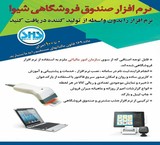
Shiva Selling & Accounting Software
Authorization Number: 86010011\r\nExporting Reference: Ministry of Culture and Islamic Guidance\r\n\r\n0 to 100 Implementation of Article 169 of the Direct Taxes Act \r\n\r\n Definition of individuals and information cards\r\n Definition of goods in two types (goods and services)\r\n Possibility of creating goods and warehouse ordering points \r\n1 Possibility of defining two types of measurement unit for each commodity\r\n Define bank accounts\r\n Registration of Operations of Export and Export checks\r\n1 Registration of cash and non -transaction operations\r\n Issuance of buying and selling invoices and references and ...\r\n1 Add every custom text in reports\r\n1 Possibility of creating a different financial period\r\n Define shortcuts for faster access\r\n Advanced search of goods and persons\r\n Ability to use separate names for goods and accounts in reports\r\n Possibility of printing printing\r\n Presentation of more than 30 varied reports (Stills- Account balances- Cardx Card Inventory- Daily Report and .......)\r\n1 Ability to connect to digital scales; automatic value added tax\r\n Ability to use a firm calculator\r\n Possibility of printing on the label on the label machine\r\n1 Profit Report from the sale of goods\r\n Possibility of recording costs and discounts in any invoice\r\n Ability to use code reader loading device\r\n Use of the goods browser\r\n1 Considering three types of status (check-written-registration-bias) for factors\r\n Control of cash accounts, banks, masters, debtors, creditors, income and costs, etc.\r\n1 Entering, modifying and removing operations only in one window\r\n Register, edit and display all financial operations one day \r\n1 Report of checks issued and submitted\r\n Connecting to automatic transaction card readers and many other reports .....\r\n1 *One year free support
- Trusted Company
- Knowledge -based company Shiva Poroshu
- software
- Tehran
- Make Call
-
Shiva\\'s financial and accounting software
Authorization Number: 86010011\r\nExporting Reference: Ministry of Culture and Islamic Guidance\r\n\r\nManagement of goods and warehouses \r\nCustomer Management and Side of Accounts \r\n Manage banks and funds \r\n Factor Issuance \r\n Receive and pay \r\n Banking Management \r\n Accounting and financial \r\n Manage users \r\n System management\r\nBank and Czech facilities \r\n️ ️ Bank accounts.\r\n️\r\n️ ️\r\n️ ️ Banks and funds report\r\n️ ️ ️ Reports of checks and documents paid\r\n️\r\n️ Possible printing checks with the ability to define different shades\r\n️ ️ Card to card and remittance in the receipt and payment\r\n️ ️ ️ ️ Czech information and documents paid to managers before maturity\r\n️ ️ Daily obtainable, paid, and overgraduate documents\r\n️\r\n️ ️ Daily obtainable, paid and overdue documents\r\n️ ️ Consideration to PC POS of different banks by sending automatic transfer to the Pozz\r\n️ ️ Receipt and payment include cash, and paid documents (checks), card readers, bank remittances, and card -to -card\r\n\r\n️ ️ Persons\r\n️\r\n️\r\n️ ️ More appointment and signature\r\n️ ️ Rial credit specification for each person\r\n️\r\n️ ️ Welcome SMS when defining individuals\r\n️\r\n️ ️ Carrier and dedicated to the Porstant formula for each\r\n️ ️ Master Message\r\n️\r\n️ ️ ایی Follow -ups to managers and managers\r\n️\r\n️\r\n️ ️ Substance of access to software for each user\r\n️ ️ ️ ️ Czech information and documents paid to managers before maturity\r\n️ ️ ️ View percent discount to customers and specific goods and display in the invoice\r\n️ Customer management reports include top customers in terms of the highest sales and ...\r\n️ Possible to display the registrant user name and the registration time in the bill\r\n️\r\n️ Possible display of micro -deductions and invoice discounts in billing or aggregation of discounts and additions in net invoice billing
- Trusted Company
- Knowledge -based company Shiva Poroshu
- software
- Tehran
- Make Call