
There are no comments for this product
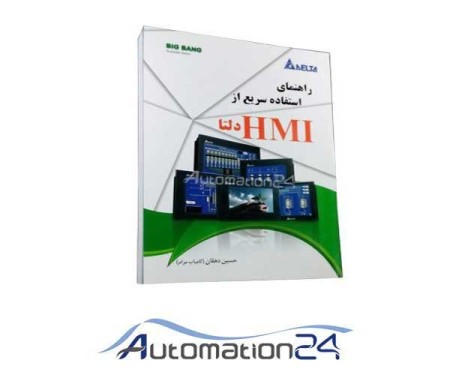


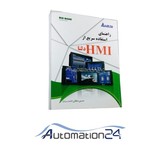
Quick Use HMI Delta Delta HMI Book List
Chapter One / Introduction
Human and Car Interface (HMI) DOP-B Series Specifications Chapter Two/ Working with device hardware
2-1 use SD card and Flash Memory
Chapter Three / Create and Edit Pages
3-1 Software set up Screen Editor
3-2 How to get started with Screen Editor software
3-3 HMI internal memory (Internal Memory)
3-4 Control Block and Status Block
3-5 Menu Bar & Toolbar (File)
3-6 Menu Bar & Toolbar (Edit)
3-7 Menu Bar & Toolbar (View)
3-8 Menu Bar
3-9 Menu Bar & Toolbar (Screen)
3-10 Menu Bar & Toolbar (Tools)
3-11 Menu Bar & Toolbar (OPTIONS)
3-12 Menu Bar & Toolbar (Window)
3-13 Menu Bar & Toolbar (Help)
3-14 Macro Function
Chapter Four/ Examples
4-1 How to create a 16-bit recipe data?
4-2 How to create a 32-bit Recipe Data?
4-3 How to use the CSV file in Excel?
4-4 How to write the HMI program in two languages?
4-5 How to use Flash Memory as data transfer?
4-6 How to use the Real Image Component?
How to create a Curve component?
Chapter Five / Menu System
5-1 Menu system
5-2 System Setting System
5-3 UP/dowmload menu
Appendix 1: Delta HMI Codes Information
Appendix 2: Introducing a number of Delta Series HMIs
Appendix 3: Some of the other capabilities of the Delta HMIs
There are no comments for this product

| Company | سایت اتوماسیون 24 |
|---|---|
| Tel | +98 25-3×××5444, +98 25-3×××3444 |
| Mobile | +98 910×××6576 |
| Whatsapp link | |
| Telegram | Telegram link |
| Website | https://www.automation24.ir |
| Country | Iran |
| Province | Qom |
| Address | قم -میدان امام خمینی- بلوار شهید بهشتی - پلاک 67 - فروشگاه اینترنتی اتوماسیون 24 |





Jooyeshgar AI Assistant