
There are no comments for this product
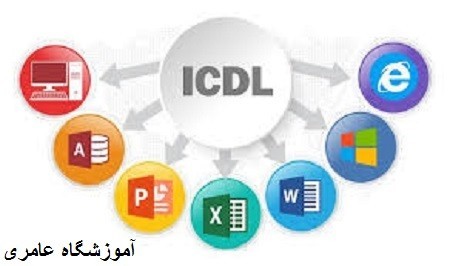
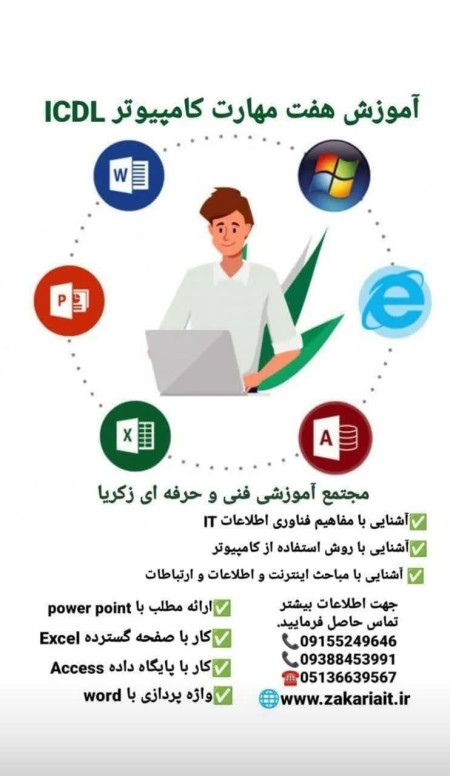
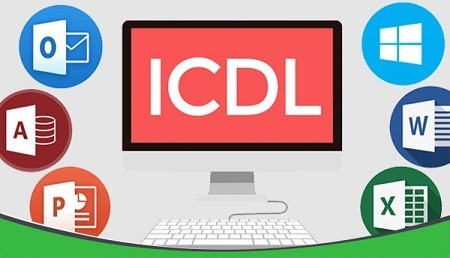

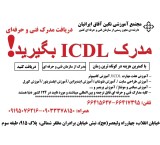
Designed to assist corporate and home users. ICDL signifies proficiency in computer skills. Therefore, a company intending to train its workforce or employees must ensure that the funds allocated to this program are well spent. What is the purpose of implementing ICDL? This course pursues 4 main objectives, which are: 1– Enhancing individuals' IT capabilities. 2– Increasing efficiency in companies and institutions. 3– Enabling employers to invest in the IT sector. 4– Ensuring optimal use of employees' maximum skills and abilities in the workplace. Advantages of obtaining the international ICDL certificate Can be presented to domestic and foreign offices and organizations as a valid document for employment and promotion, the widest and largest recognized certificate worldwide for computer users. Increasing skill levels in efficient and proper use of IT and computers. A gateway to entering the information society and higher education in IT. Providing a model for training in the information society. Main objectives of international ICDL 1- Promoting and cultivating computer literacy for all, 2– Increasing information technology and the technical competence level in using personal computers and their general applications for all citizens. 3– Ensuring that computer users have sufficient skills in using personal computers. 4– Increasing productivity of all users who need to use computers in their work. 5– Improving return on investment in information technology. 6– Providing basic conditions so that all people, regardless of their education and experiences, can be members of an information society. This course includes seven skills:
Computer Basics and Concepts Basic hardware concepts Basic software concepts Software concept Types of networks Data transfer concept Electronic world Communication Identity Authentication Storage and memory Firewall concept Copyright law Review of some accessible Windows software Review of internet connection services Internet connection Health review Environmental review Review of ICT in daily life Data security review Information preservation Virus review Creating computer security Proper password practices Copyright law adherence Review of software usage expiration Identifying data usage locations Review of data accuracy impact
File Management (Windows Operating System) Windows environment Icons Windows desktop Setting date and time principles Volume adjustment principles Language settings Viewing system information Introduction to PAINT Introduction to WORD PAD Introduction to NOTEPAD Introduction to Calculator Methods to create various files Recycle bin Windows encryption methods Creating new user CD burning methods Organizing in the operating system Types of file and folder storage tools Antivirus Options concept Print list
Working with Internet and Email Internet WWW Hyperlink – URL – ISP Structure and composition of a web address Web browsers and their types Digital certificate and data encryption Web browser Help functions Accepting, blocking pop-up sections Forms Search options How to save a web page Loading options Print preview Preparation and printing methods Email and its advantages Structure of an email address SMS and VOIP services How to send an email How to receive an email Outlook software Working with Outlook Printing Creating and structuring an email address Security principles Email Troubleshooting attachments Sending an email Working with various websites (service, educational, social) Working with address book
Word Processor - Word Word software and its applications File management Templates, diagrams, document backgrounds, multi-column texts Features: Case Change, Style, Format Painter Automatic grammar check, bulleted lists, paragraphs Tables, formulas, headers and footers, page numbers Hyperlink feature Symbols, line and page breaks, mail merge, Autocorrect, Auto text Word software and its applications Templates, diagrams, document backgrounds, multi-column texts Features: Case Change, Style, Format Painter
Working with Spreadsheet - EXCEL Launching Excel, creating new files, working with worksheets Saving files in Excel Data organization, table drawing, cell formatting, filtering and searching data, formula writing, chart creation, useful functions Printing
Working with Excel Database Launching Excel, creating new files, working with worksheets Saving files in Excel Data organization, table drawing, cell formatting, filtering and searching data, formula writing, chart creation, useful functions Printing
Presentation with PowerPoint PowerPoint software and its applications Slides, program files How to insert notes, slide numbers, transitions, custom shows Master Slide operation buttons PowerPoint software and its applications Skills: Launching PowerPoint Creating new files, program views Slide background formats, slide design, hiding slides, working with images, sound, charts, animations, text animation Creating links, slide show timing, creating presentation packages Printing
Address: Mashhad, Ghasem Abad - Adib Nishapuri Boulevard (Adib Andisheh Intersection), corner of Adib 51, No. 507
Contact Number: 09151232289 – 05136572256
There are no comments for this product

| Company | آموزشگاه آزاد فنی و حرفه ای «عامری» |
|---|---|
| Tel | +98 51-3×××2256 |
| Mobile | +98 915×××2289 |
| Website | http://amerischool.ir |
| Country | Iran |
| Province | Khorasan Razavi |
| Address | مشهد : شهرک غرب (قاسم آباد) بلوار ادیب نیشابوری - نرسیده به ادیب 51 پلاک 507 آموزشگاه فنی و حرفه ای عامری |






Jooyeshgar AI Assistant