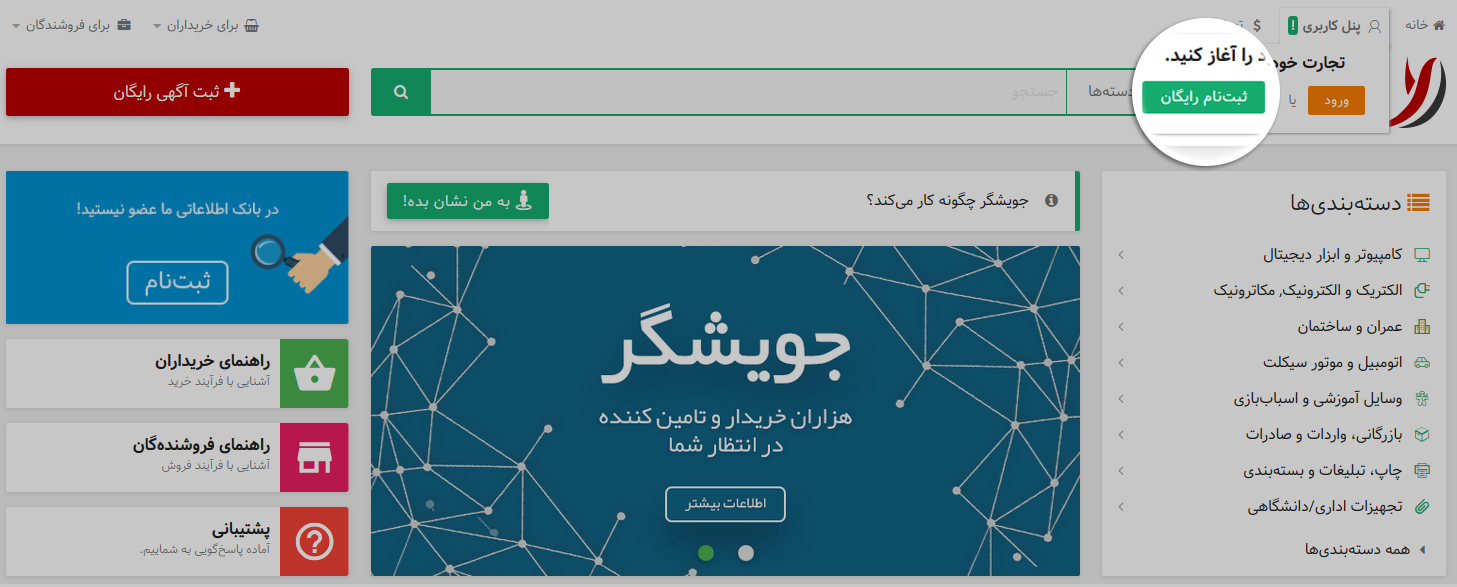
Select the free registration button at the top of the page.
Select your title and enter your first name, last name, email address, password, and company name.
Select your country and province, then enter your mobile and telephone numbers.
Choose whether to display your mobile number, review the terms of use, and select Register.
Submit a sales ad while registering
If you want to submit a sales ad while creating your account, use the Submit sales ad button. Enter accurate contact and company details so buyers can reach you.
Sign in to your account
Select Sign in at the top of the page.
Enter your username, email address, or mobile number and your password.
If you cannot remember your password, use the password recovery option.
Latest News & Announcements: Get the scoop on new features, upcoming events, and important app updates delivered directly to your device.
Exclusive Offers & Deals: Be the first to know about special promotions, discounts, and limited-time offers. Don't miss out on saving money or getting exclusive benefits!
Real-Time Updates: Stay informed about crucial information and activity within the app. Notifications can alert you to messages, replies, comments, and other relevant events, keeping you connected and engaged.
By enabling notifications, you'll ensure you have all the information you need at your fingertips and can take advantage of all the app has to offer. Don't miss out – turn on notifications today!