After you sign in, the user panel is where you manage your Jooyeshgar activity. Its menu provides access to your account and company information, listings, purchasing needs, orders, and messages.
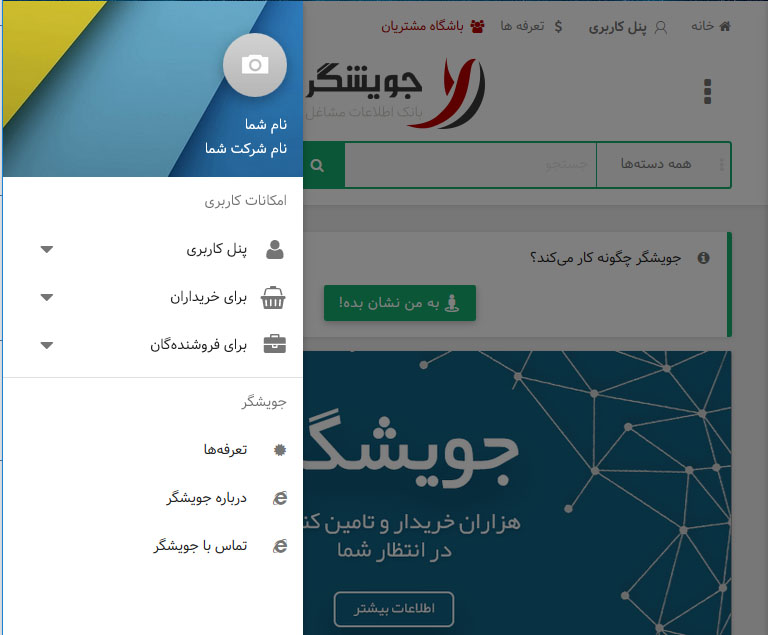
Main panel sections
Overview: shows your score, account status, and shortcuts to important activities.
Personal information: manages your name, email address, mobile number, location, and contact details.
My company: manages your business profile, multilingual introduction, logo, and catalogue.
Listings and needs: creates and tracks products, services, and purchasing requests.
Orders: shows sales and purchase orders and the status of each order.
Message inbox: contains messages and notifications related to your account activity.
Edit your information
Open Personal information to update your individual details. Open My company to introduce your business. Select Submit or Save after every change.

Stay Informed!
Don't miss a thing!
Latest News & Announcements: Get the scoop on new features, upcoming events, and important app updates delivered directly to your device.
Exclusive Offers & Deals: Be the first to know about special promotions, discounts, and limited-time offers. Don't miss out on saving money or getting exclusive benefits!
Real-Time Updates: Stay informed about crucial information and activity within the app. Notifications can alert you to messages, replies, comments, and other relevant events, keeping you connected and engaged.
By enabling notifications, you'll ensure you have all the information you need at your fingertips and can take advantage of all the app has to offer. Don't miss out – turn on notifications today!